The Remediate feature allows administrators and analysts to take immediate action when imper.ai flags suspicious or anomalous participant behavior during monitored conversations.
Remediation actions help security teams quickly investigate, communicate with stakeholders, and escalate potential social engineering risks.
The Remediate options appear when viewing participant-level verification details inside the Conversations page.
Accessing Remediation Actions
Remediation actions are available only after expanding a specific conversation and selecting a participant whose behavior may require investigation.
To access Remediate tools:
Navigate to Conversations.
Expand the relevant meeting record.
Select the participant you wish to investigate.
The Verification Summary Panel and Remediate actions appear on the right.
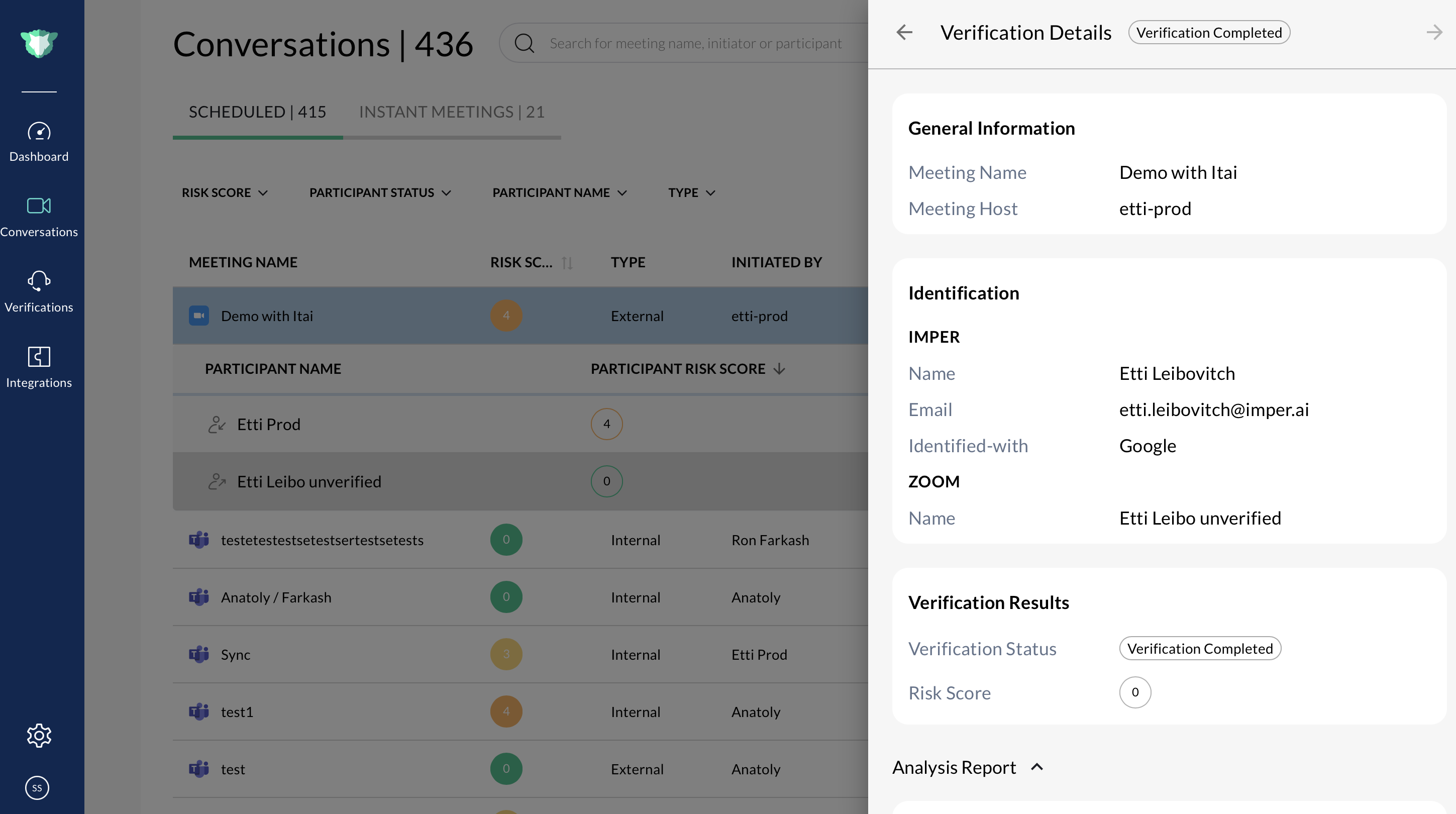
Expanded meeting record showing participant verification results and access to remediation actions
Available Remediation Actions
1. Report
Initiates a live-chat thread with:
The meeting organizer
The on-call security engineer
This creates an immediate communication bridge for investigating identity anomalies or responding to suspected impersonation attempts.
2. Update Verification Status
(Coming Soon)
This option appears in the UI but is not yet active. It will allow admins to manually update a participant’s verification status in future releases.
3. Report an Incident in the Communication Channel
Triggers an incident notification tied to the conversation and participant.
Steps:
Navigate to Conversations.
Expand the meeting that contains the suspicious participant.
Click the participant to open their validation context and anomaly indicators.
Click Report to initiate incident reporting.
Reviewing the Verification Context Before Remediation
Before taking action, administrators can review:
Verification Summary Panel
Shows:
Risk score
Network anomalies
Endpoint anomalies
Persona indicators
Challenge scoring
Device metadata
Verification Transcript
If challenge questions were asked, the transcript may reveal:
Suspicious answers
Partial or incorrect responses
Behavioral anomalies