Release Overview
We introduced major enhancements across Enrollment, Help Desk, integrations, onboarding, and GTM capabilities.
These updates focus on improving onboarding automation, strengthening verification security, expanding ITSM connectivity, enhancing administrative control, and streamlining the overall user and agent experience.
Key highlights include:
Launch of the new Enrollment use case with Workday integration
Expanded Help Desk verification capabilities and actions
New ITSM integrations and ticketing workflows
Enhanced verification question management and analytics
And more
Enrollment
New Enrollment Use Case
Introduced a new Enrollment use case designed to integrate with ATS platforms and automate onboarding processes for new employees. Based on the employee’s start date, the system automatically sends a secure Set/Reset Password email containing a verification link. Employees can complete password setup only after successfully passing the Imper.ai verification process.
Additional capabilities introduced as part of this flow:
Support for sending manual enrollment links
Centralized visibility of all enrollment-related verifications through the Enrollment page
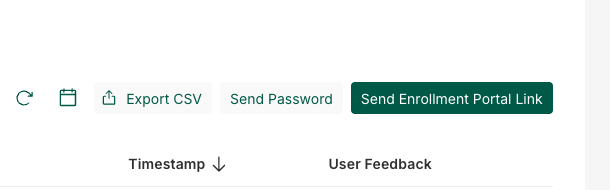
“Send Password” Action for BHG
Added a dedicated Send Password action for BHG’s Enrollment flow. This enables IT teams to securely send passwords or secrets to employees, where access to the password is dependent on successful verification. It was added following their request.
This action:
Has its own dedicated button within the Enrollment page
Is unavailable in the SSP (Self-Service Portal), since IT initiation is required before verification begins
Workday Integration
Implemented integration with Workday to automatically trigger Enrollment flows.
Help Desk
New “Agent” Role
Replaced the previous Member role with a more granular Agent role.
Agents:
Cannot view risk scores in the Verifications table or verification summary drawer
Cannot access chat transcripts
These changes were introduced to improve privacy and data access control.
Verification Table Redesign
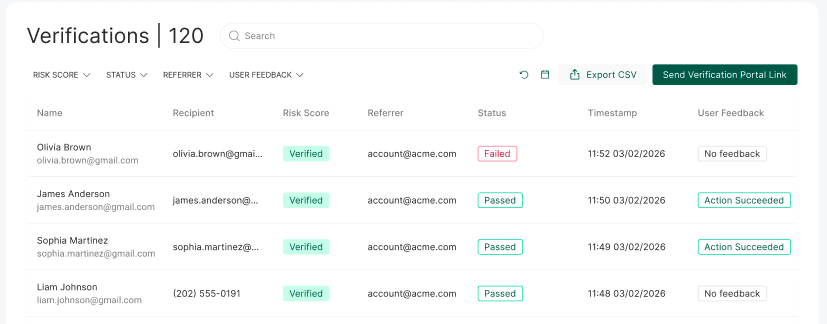
Updated the Verifications table UI and added a new Recipients column, allowing agents to also view the Personal email. This enhancement was requested by Plante Moran.
Question Grouping Enhancements
Introduced a new default question grouping mechanism to improve question diversity during verification sessions.
For example - Similar question types (such as multiple calendar questions) will no longer appear within the same verification session.
Default grouping behavior can be overridden per tenant configuration.
Multi-Source Verification Flow
Enabled a custom verification flow for Westgate where each session includes:
One question from the IDP
One question from an external Excel-based data source (ADP)
Clarification Logic & Question Improvements
Implemented multiple enhancements to:
Clarification logic
Help Desk question quality
Overall verification experience
New “Pending” Verification Status
Added a new Pending status for verifications that were sent but not yet opened by the user.
Behavior:
Status remains Pending until the verification link is opened
Automatically changes to “Expired” after several hours if unused
Active Directory Connector Integration
Added an Active Directory (AD) Connector integration that enables password reset and set-password actions directly through Active Directory, instead of through the IDP flow used previously.
This provides:
A more accurate and reliable password management process
Direct synchronization with Active Directory environments
User Feedback Collection
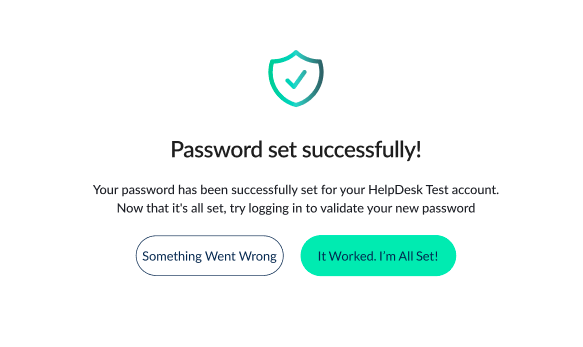
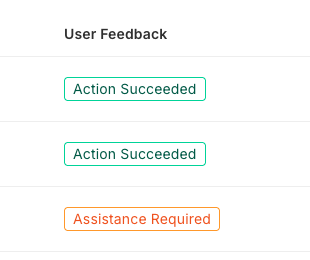
Added post-verification feedback collection after password reset or password setup flows.
Users are now asked whether the process succeeded or if they experienced issues, enabling better tracking of user experience and flow reliability.
Verification Summary Actions
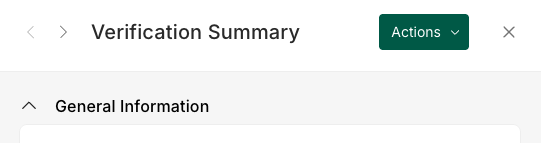
Added a new Actions button within the verification summary page.
This allows agents to trigger actions for specific users after reviewing verification reliability and outcomes.
New “Unlock Account” Action
Added a new Unlock Account action that enables users to unlock their account after successfully completing verification.
ITSM Integrations
Introduced integrations with multiple ITSM platforms, including working integrations with:
ServiceNow
ChangeGear
Additional integrations currently in progress:
TeamDynamix
Autotask
Key capabilities:
Link verifications directly to ITSM tickets
Allow agents to send verification requests directly from tickets
Sync verification statuses back into the ITSM platform automatically
“Open a Request” Action
Introduced a new Open a Request action, allowing employees to create ITSM tickets directly from Imper after successfully completing verification.
Verification Questions Management Page
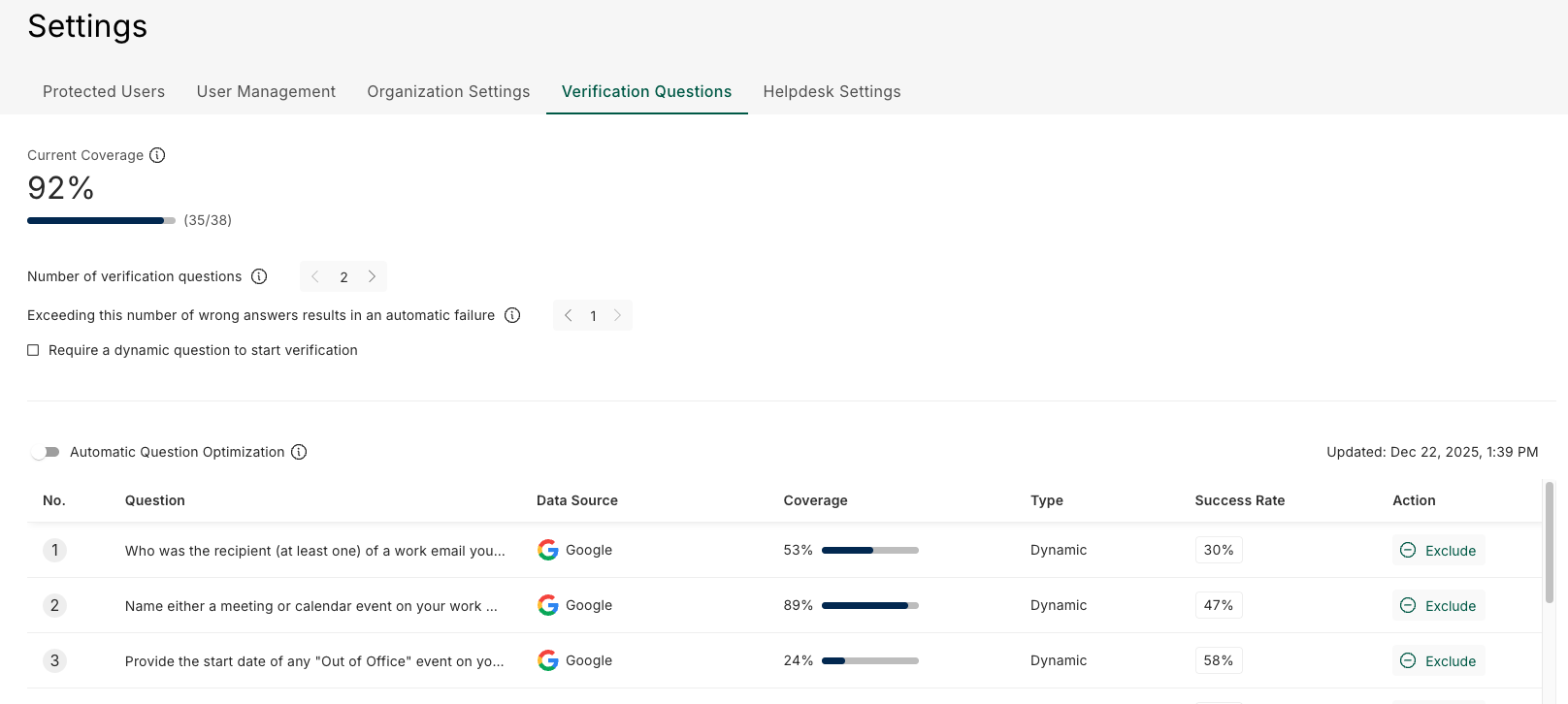
Added a new Verification Questions management experience that provides administrators with centralized visibility and control over verification questions.
Capabilities include:
Viewing Current total coverage
Viewing all available verification questions
Understanding question coverage based on connected data sources
Viewing additional questions available through new data sources
Including or excluding specific questions
Viewing question success rates
Configuring:
Number of questions per session
Failure thresholds based on incorrect answers
New Incidents Page
Introduced a new Incidents page that centralizes security-related incidents and verification failures.
The page currently includes two incident types:
Users who failed the password reset process and did not successfully log in afterward
High-risk users identified during verification flows
This capability is currently available only for CSWG and only for help desk incidents.
Weekly Report for CSWG
Added an automated weekly email report for CSWG containing verification and action analytics.
The report includes:
Total number of verifications
Number of successful and failed verifications
Action success metrics
Trend analysis over time
The report is automatically sent on a weekly basis.
Hiring
Imper.ai now supports integrations with Workday and Greenhouse to help secure interview processes through candidate identity verification.
With this integration, Imper.ai intercepts interview scheduling flows and replaces the candidate’s meeting link with a secure verification link. After successful verification, the candidate is automatically redirected to the interview meeting.
Key Capabilities
Candidate identity verification before joining interviews
Real-time risk detection during the verification process
Full interview and verification visibility in the Imper.ai Admin Panel
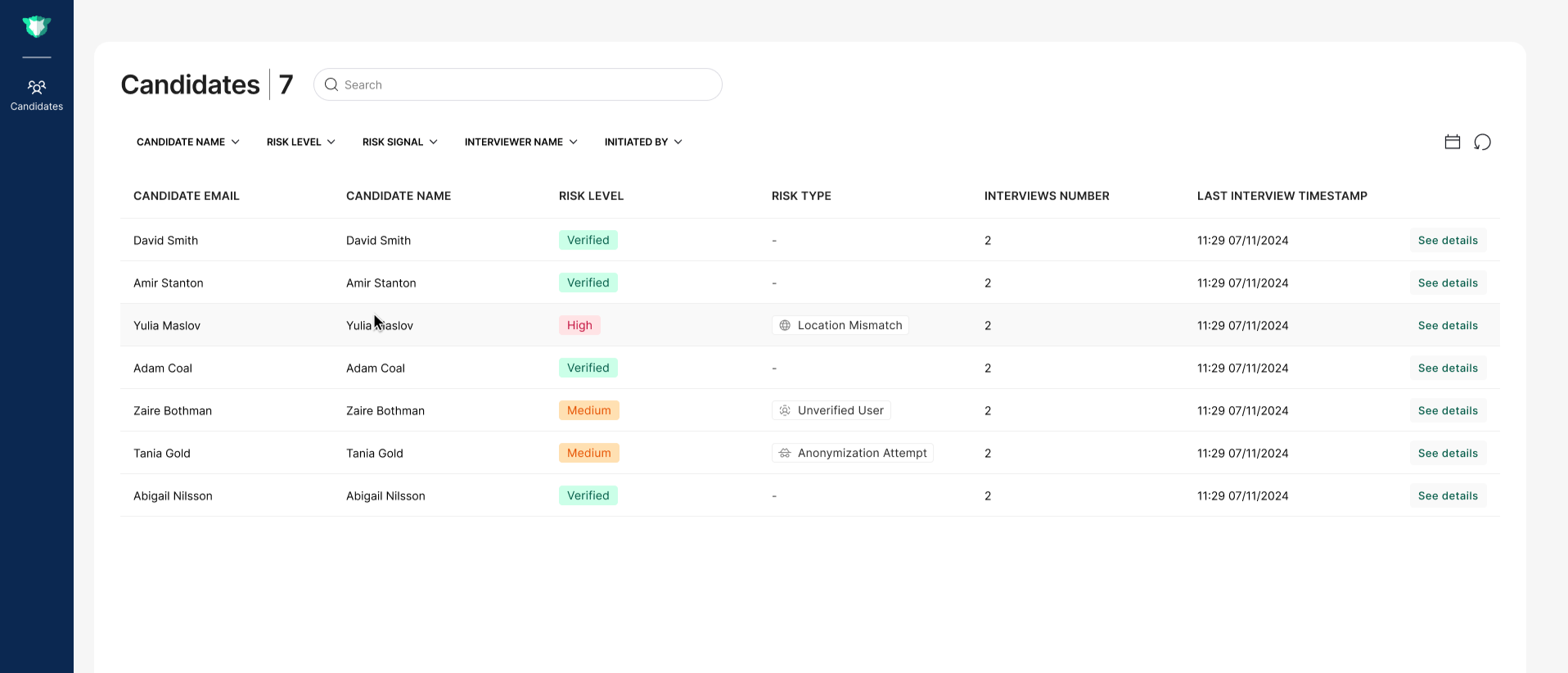
Candidates Page
All interview and verification activity is recorded per candidate and available in the Candidate Details page, including:
Verification status and risk level
Summary of the detected risks and recommended actions
Risk indicators and analysis results
Interview history and activity records
This provides HR, TA, and security teams with centralized visibility into interview security and candidate verification outcomes.
Candidates Page
.png)
Candidate Details
.png)
Interview Details
Platform & Organization Features
SSO Configuration in Organization Settings
Enabled self-service SSO configuration for all tenants directly through Organization Settings.

CSV Import Support
Added support for importing CSV files through Organization Settings, enabling organizations to enrich verification data and create additional question sources.

New Onboarding Flow by Use Case
Introduced a new onboarding experience tailored by use case.
This includes:
A first-time onboarding flow for new imper integrations
Improvements to the Integrations page
Automatic disabling of integrations that are unavailable for the selected use case
GTM & Demo Features
On-Demand Verification
Added a new On-Demand Verification capability for demos and live scenarios.
This enables administrators or sales teams to trigger real-time verifications during demos through:
SMS
Email
QR code
Escalate to Manager Flow
Introduced a new Escalate to Manager flow.
When a user fails verification:
An agent can trigger the Escalate to Manager action from the verification summary of the specific failed verification
A manager verification call can be automatically scheduled and pre-filled for validation purposes