Overview
This document describes the end-to-end experience for IT and Help Desk teams using ServiceNow with imper.ai, ensuring secure and auditable handling of tickets and actions.
The solution ensures that:
When a ticket is opened, imper.ai is automatically included in the workflow, allowing sending a verification link to the user and updating the ServiceNow ticket with the verification outcome.
Users are verified before sensitive actions are executed.
Some actions can be completed automatically via imper.ai, without requiring intervention from a help desk agent.
Verification results and metadata are fully recorded in ServiceNow, providing agents with actionable insights and a complete audit trail.
Ticket Creation & Verification
Help desk agents continue to open tickets using their existing ServiceNow workflow, with no changes to current processes.
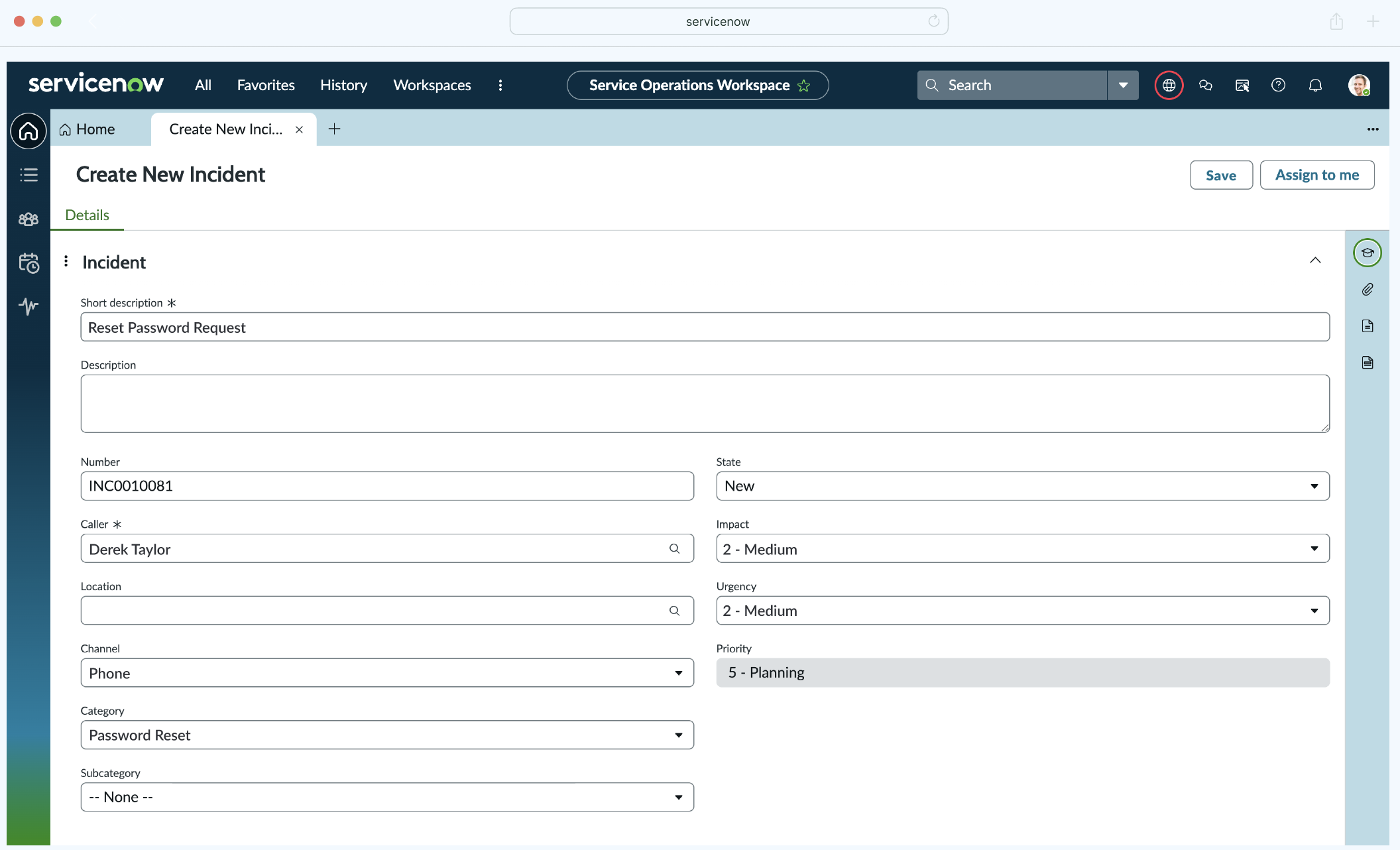
New imper.ai Verification Field
When a ticket is created in a category that requires authentication:
A custom imper.ai Verification field is automatically added to the ticket.
This field contains a clickable link: “imper.ai - Send Verification link”.
.png)
Agent-Initiated Verification
To initiate verification:
The agent clicks the link inside the imper.ai Verification field.
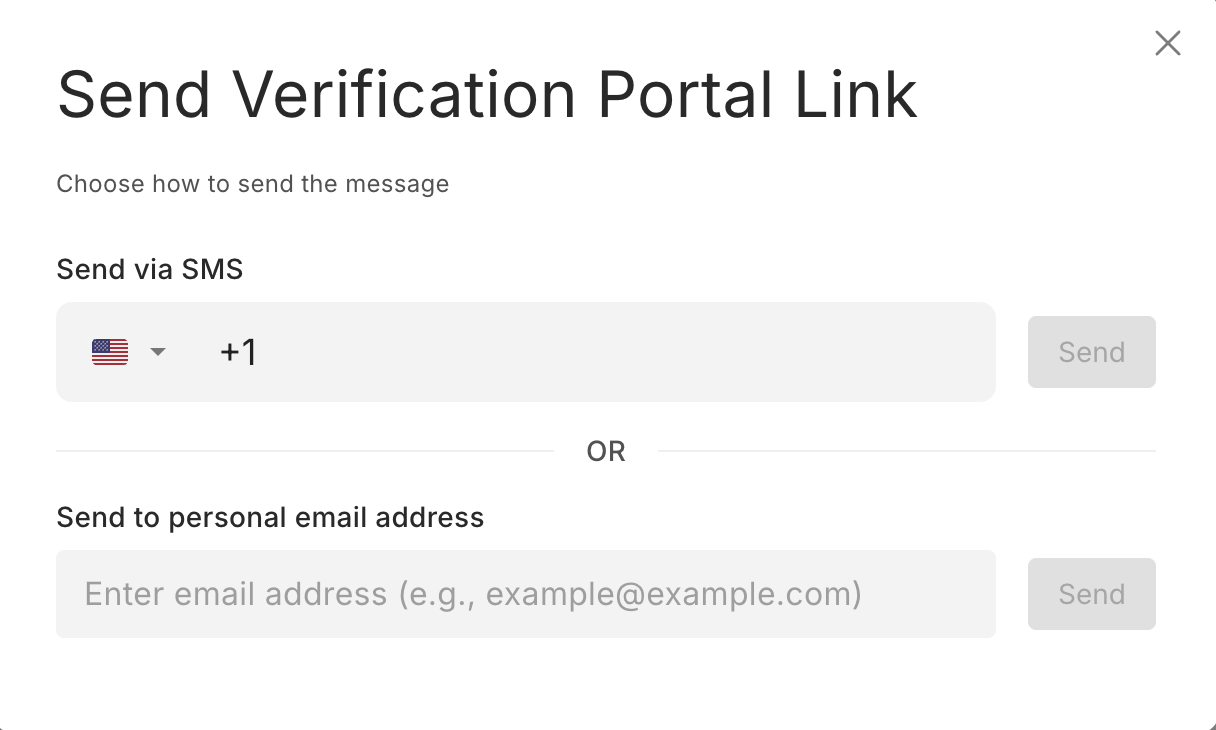
A “sent verification portal link” page opens.
The agent enters the requester’s private email address or phone number.
The agent clicks Send to deliver the secure verification link.
The verification portal link is then sent directly to the requester via the selected communication channel.
User Experience
Once the agent sends the verification:
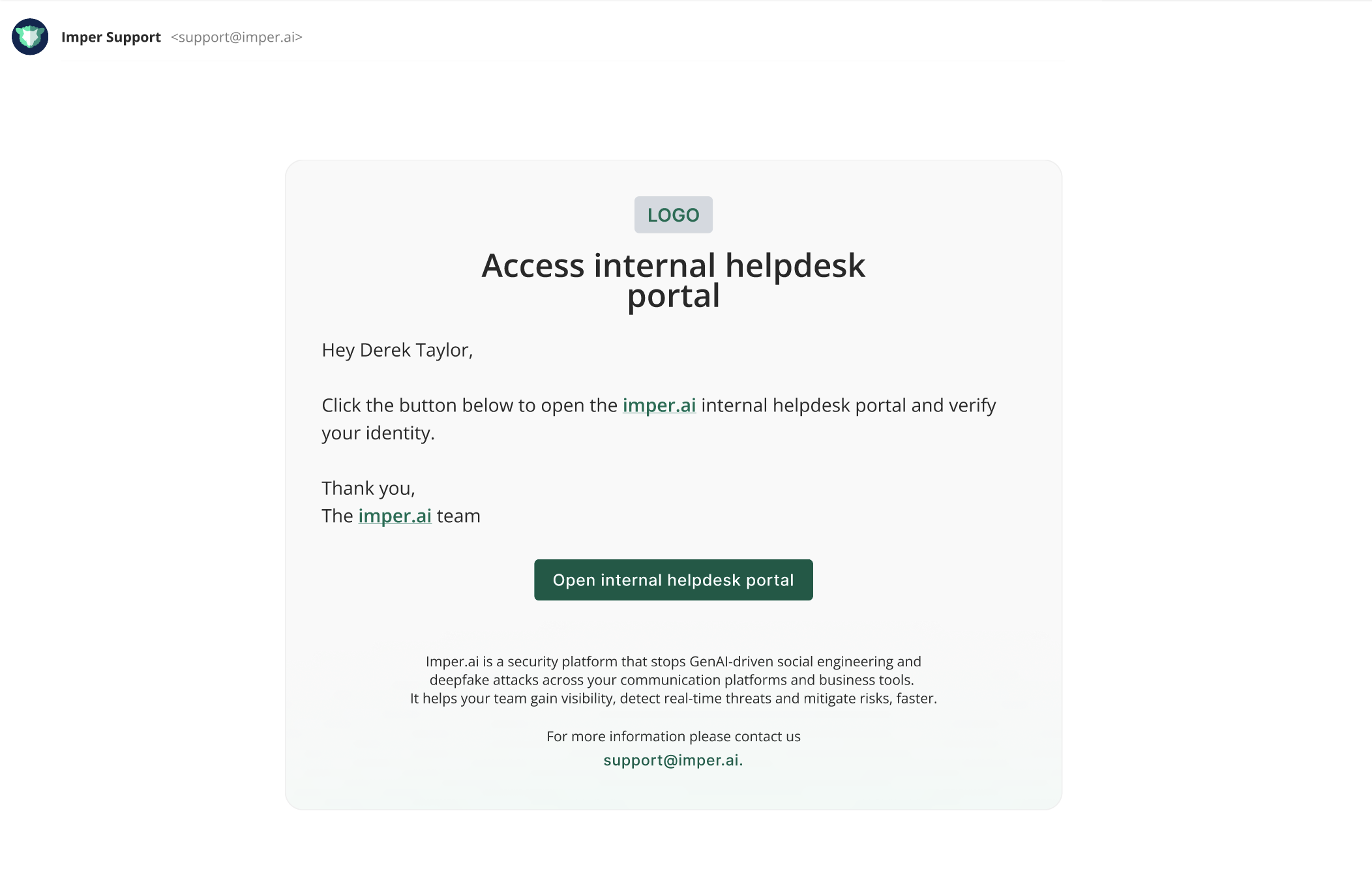
The user receives a secure verification link via email or SMS.
Clicking the link redirects the user to the imper.ai secure verification page.
The user completes the verification process.
Verification Results in ServiceNow
After the user completes verification, the imper.ai Verification field is automatically updated with:
Verification Outcome: Passed / Failed
Verification ID & Link: Direct link to detailed verification view in imper.ai
This ensures:
Agents do not need to leave ServiceNow to understand the verification result.
Each ticket contains a clear and auditable verification trail.
Verification is explicitly triggered and documented by the agent.
Automated Action Handling & Ticket Closure
If the ticket involves a predefined action supported by imper.ai (e.g., password reset):
After successful verification, the user can perform the requested action directly through the secure portal.
The action is recorded automatically in the ServiceNow ticket.
The ticket is updated accordingly.
If the action is fully automated, the ticket is resolved and closed automatically once completed.
Benefits:
Maintains agent control over verification initiation.
Ensures secure identity validation before sensitive actions.
Keeps full audit documentation inside the ticket.
Reduces manual handling while preserving compliance and traceability.
Verifications Page
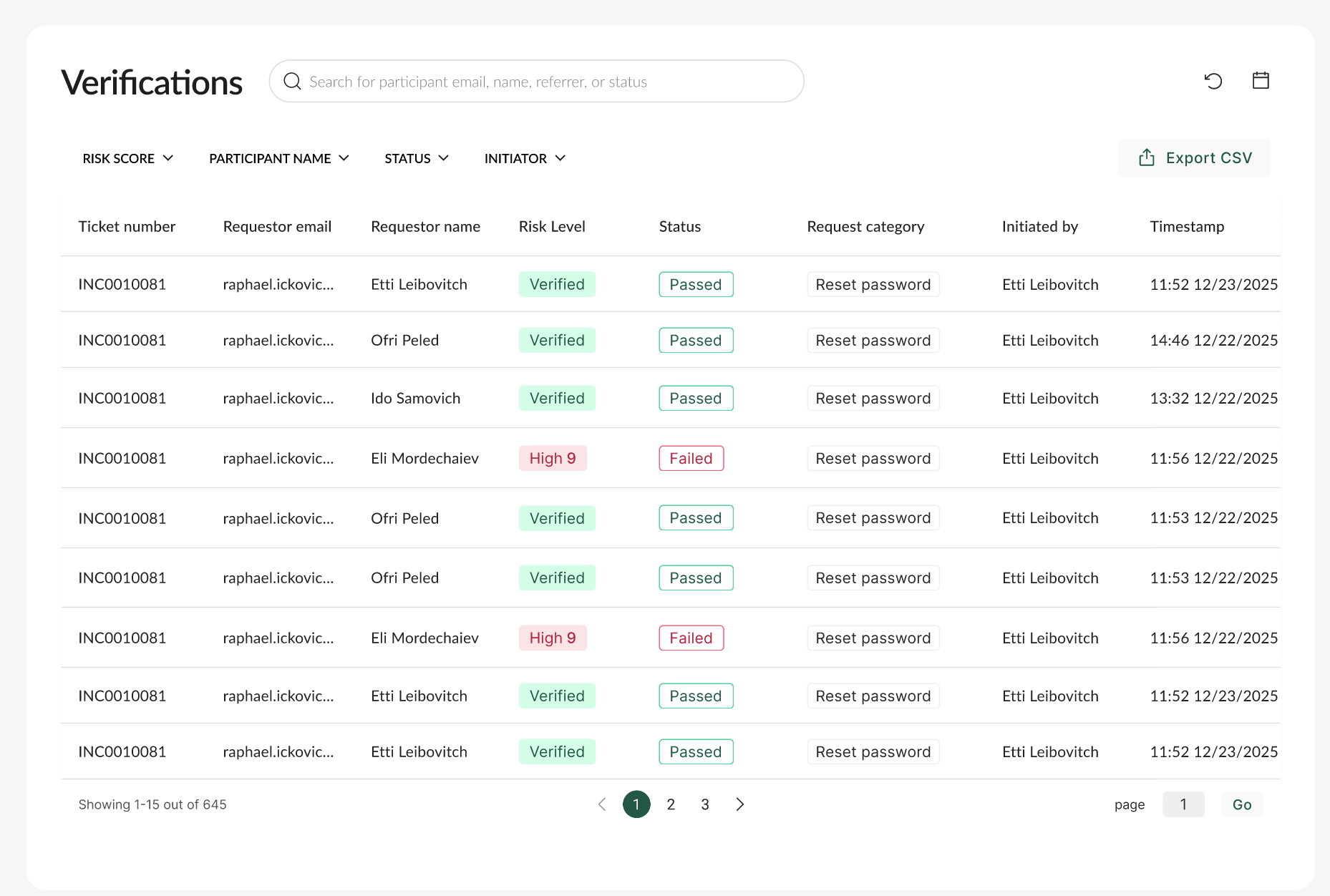
For deeper investigation and audibility, all verifications data are available in the imper.ai console:
Verifications Table Includes:
Ticket Number
Requester Name & Email
Risk level (Verified, Medium, High)
Verification Status (Passed / Failed)
Request category
Initiated By (agent name)
Timestamp of Verification
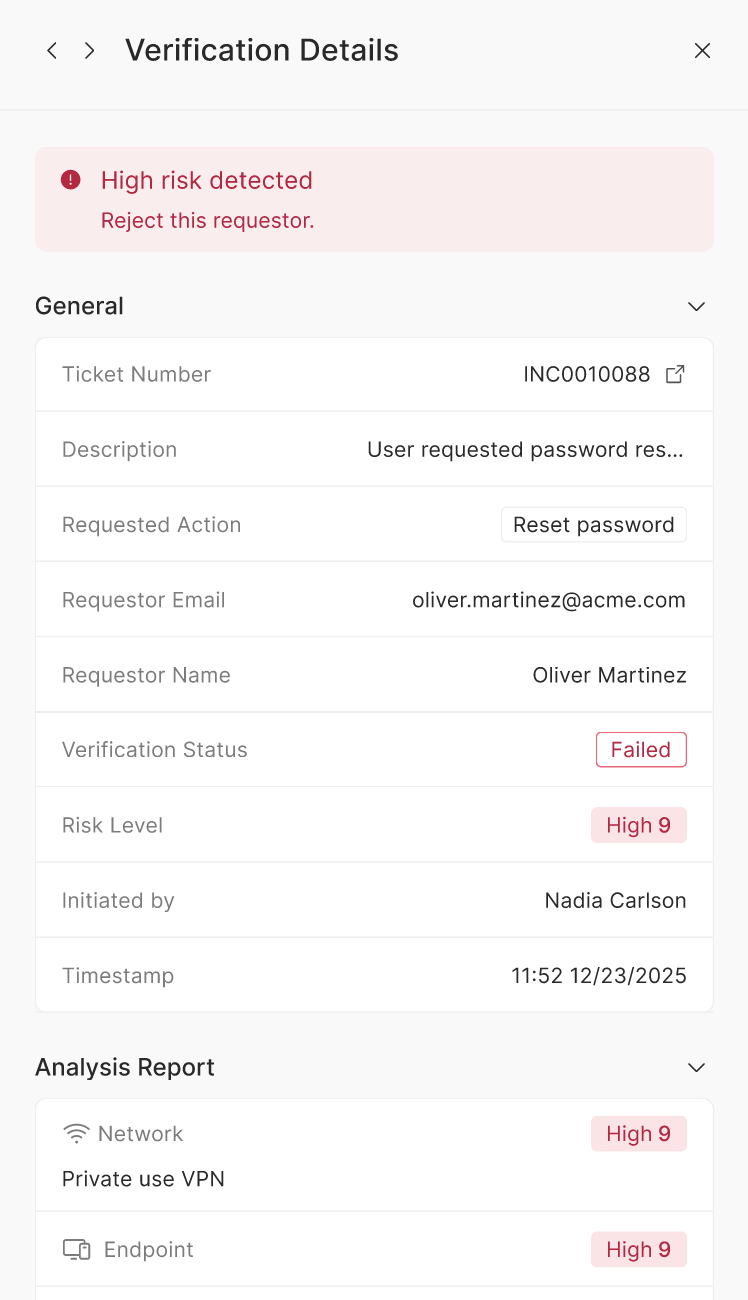
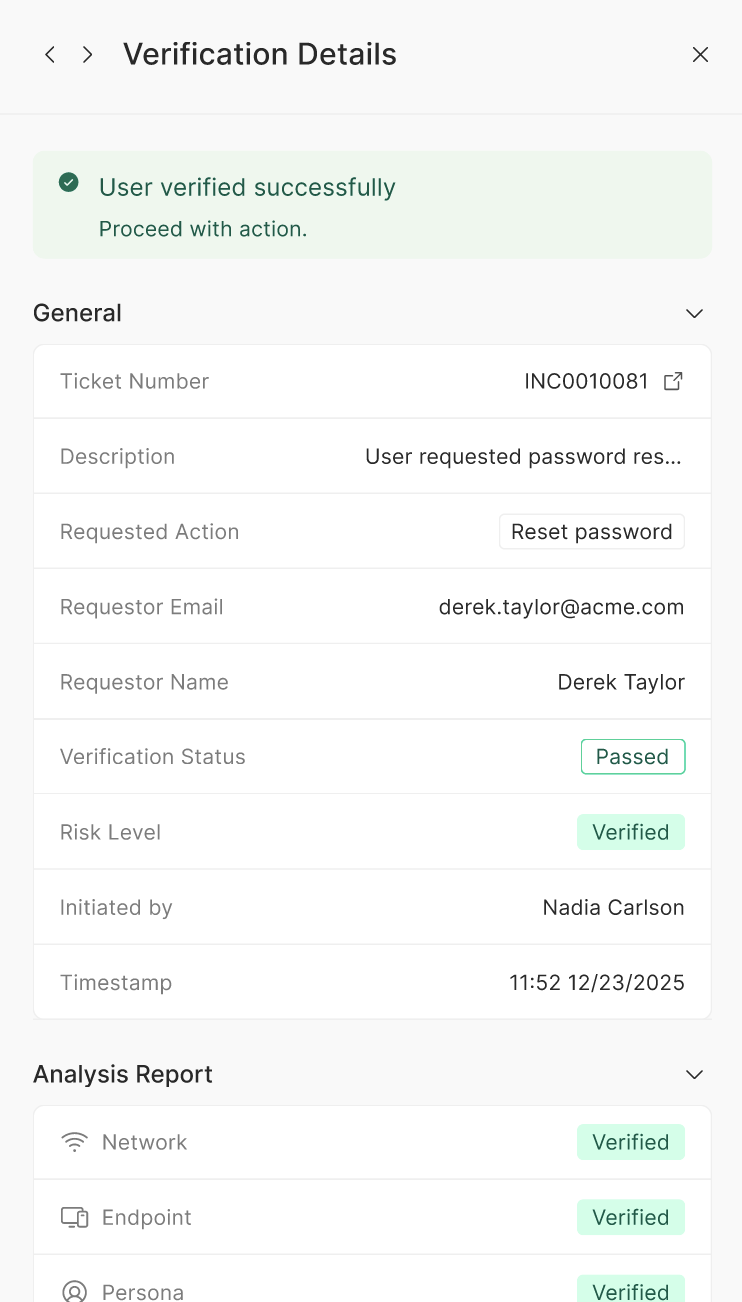
Verification Details View:
Clicking a verification entry shows:
Ticket Number & Subject
Description
Requested action
Requestor User Name & Email
Verification Status
Risk Level
Initiated by (agent)
Analysis Report
Additional information about the user
Timestamp
Recommendations Displayed:
User verified successfully - Proceed with action
High risk detected - Reject this request
This empowers IT and Help Desk teams to make secure, defensible decisions based on verified interactions.