Overview
Modern enterprises struggle to securely onboard new employees while coordinating across HR, IT, and identity systems. Traditional onboarding processes rely on manual communication between HR and IT to share new hire information, start dates and access requirements.
Credentials are often provisioned and distributed through insecure channels such as email or help desk interactions, while HR teams have limited visibility into whether onboarding tasks are progressing as expected. This fragmented process creates security risks, operational overhead, and uncertainty around whether employees will be able to access corporate systems on day one.
imper.ai for employee enrollment
imper.ai enables organizations to modernize and secure the employee enrollment process by orchestrating identity verification, password issuance and onboarding workflows across HR, IT, and identity platforms. Instead of relying on manual handoffs between teams, imper.ai provides a unified and automated enrollment experience that ensures new employees can securely access corporate systems from day one.
How does it work?
Identity-First Onboarding
imper.ai begins the enrollment process by verifying the identity of new hires before credentials are issued. New employees complete a verification ensuring that the person receiving access is the legitimate employee. This step prevents impersonation attacks and eliminates the risk of credentials being provisioned to the wrong individual.
Automated Enrollment Workflows
imper.ai integrates with HR systems, identity providers and IT provisioning tools to automatically trigger enrollment workflows as soon as a new employee record is updated to “hired”. Once HR enters the employee into their HR system such as Workday, imper.ai securely initiates the employee enrollment process, guiding the employee through identity verification and enrollment steps while coordinating with downstream systems responsible for enabling employee access.
Secure Credential Delivery
Rather than sending credentials through email, text message or manual help desk processes, imper.ai provides a secure channel for delivering and activating employee credentials. This ensures that passwords are only accessible to the verified employee, reducing the risk of credential interception or misuse.
Visibility and Operational Control
imper.ai gives HR, IT and security teams a centralized view of onboarding progress. HR administrators, along with IT and security teams can monitor enrollment status, track completion of identity verification and credential activation and identify issues before the employee’s start date. This transparency reduces coordination overhead between teams and helps ensure employees are fully provisioned and ready to work on their first day.
Reduced Risk and Faster Day-One Access
By automating identity verification, enrollment workflows and secure credential activation, imper.ai eliminates the security gaps and operational friction common in traditional onboarding processes. Organizations gain confidence that every new employee is properly verified and provisioned, while employees benefit from a seamless onboarding experience that provides secure access to corporate systems on day one.

Automated flow for new hires enrollment

New Employee Guided Enrollment
imper.ai guides new employees through a secure and simple enrollment process, ensuring that identity verification and credential activation are completed before the employee’s first day.
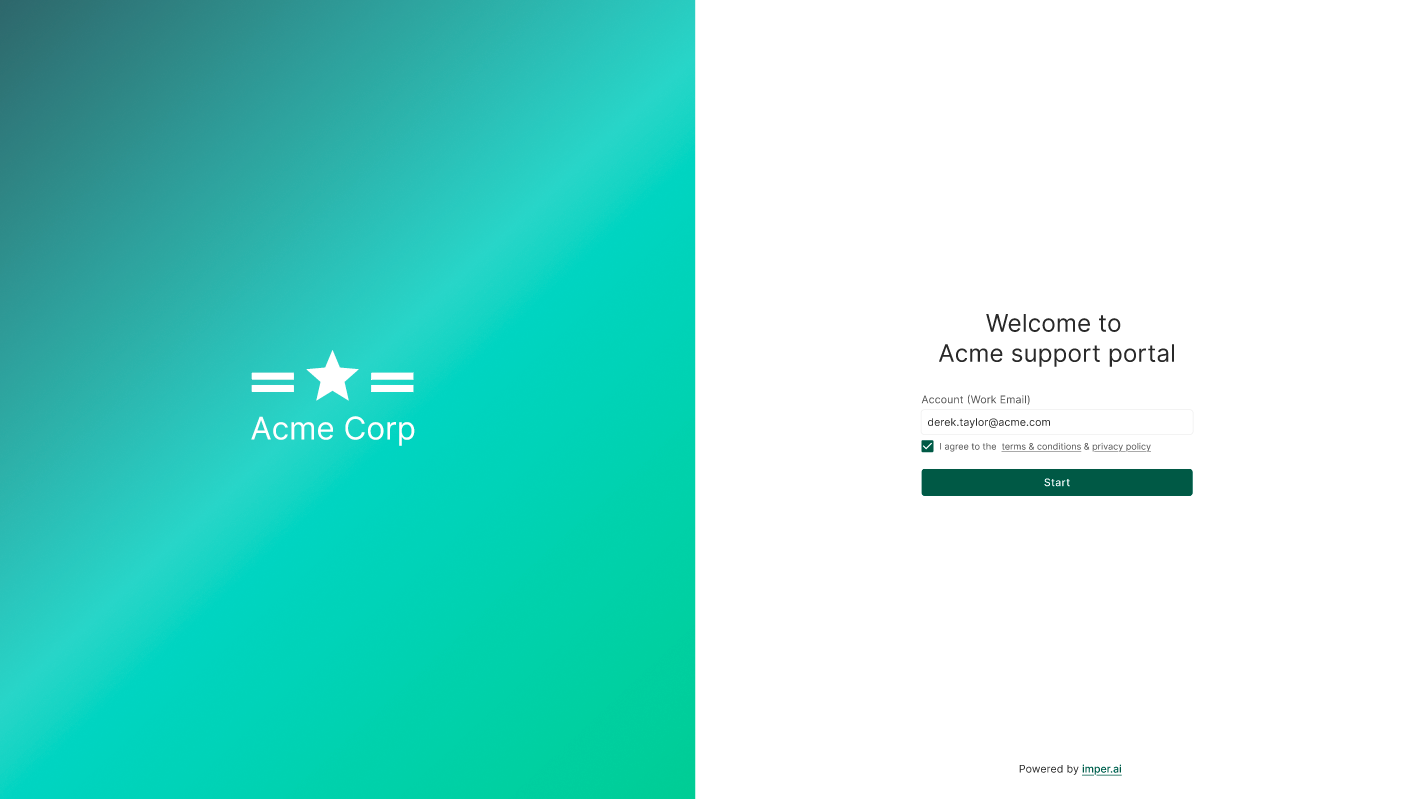
Step 1 – Enrollment Invitation
Once a new employee is marked as “Hired” in the HR system, imper.ai automatically sends a secure welcome email containing a unique enrollment link.
This email invites the employee to begin the onboarding process and explains the steps required to activate their corporate access.

Step 2 – Identity Verification
After clicking the link, the employee is guided through the imper.ai verification flow.
The verification process confirms that the person completing the enrollment is the legitimate employee. Only successfully verified users are allowed to continue to the next step.
Step 3 – Password Creation
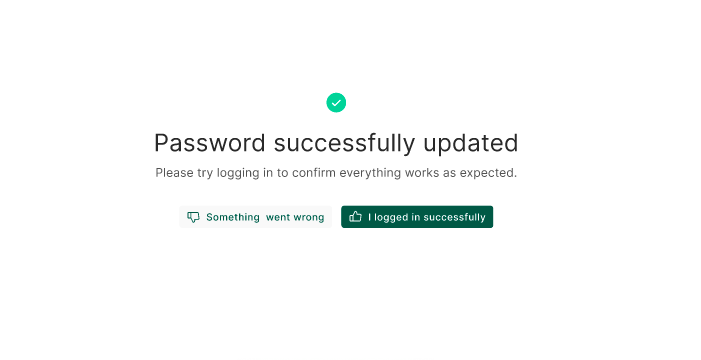
Once identity verification is completed, the employee is redirected to the Set Password page.
Here the employee securely creates their corporate password according to the organization’s password policy. The password is immediately applied to the connected identity system.

Step 4 – Enrollment Completion
After the password is successfully set, the employee receives confirmation that their account is ready.
At this point, the employee can securely access corporate systems on their first day.
HR Centralized View for tracking enrollment progress
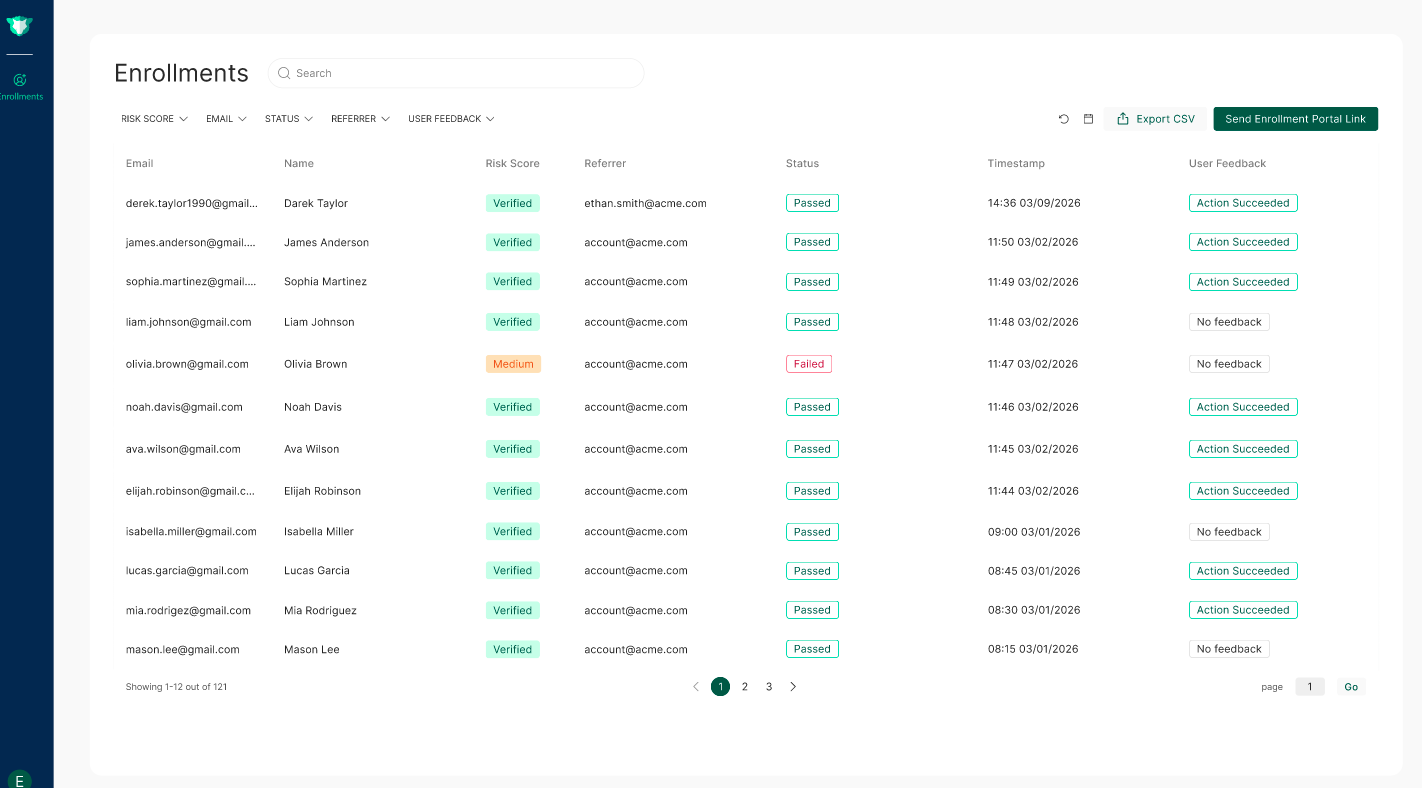
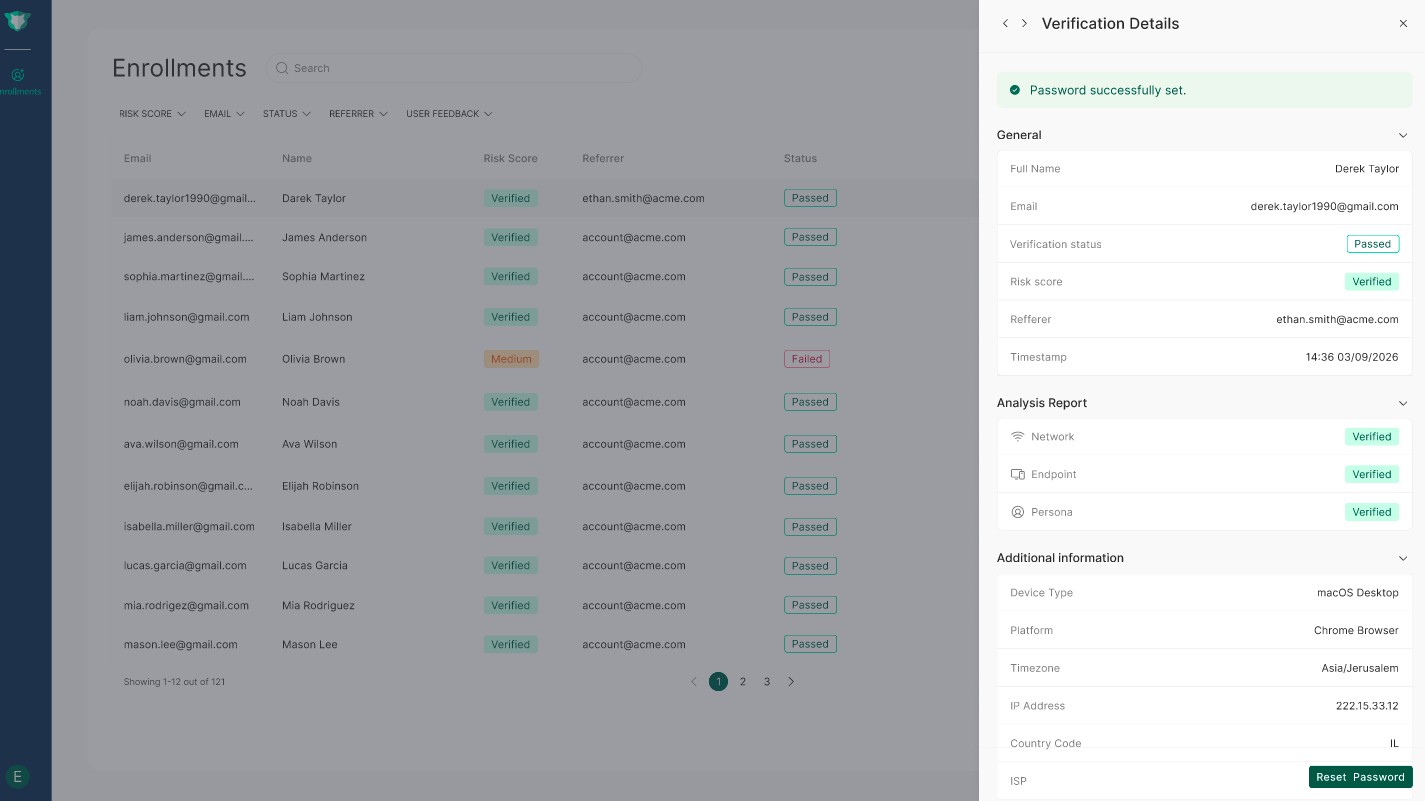
imper.ai provides HR teams with a centralized page that displays the enrollment and verification progress of new employees. The page presents a table that allows HR administrators to quickly review verification results, identify potential risks, and detect issues that may prevent employees from completing the enrollment process before their start date.
The table includes the following fields:
Employee Name and Email – Displays the new employee’s name and email address associated with the enrollment process.
Risk Score – Indicates the risk level assigned to the verification session based on imper.ai’s analysis. Possible values include Verified, Medium, or High.
Referrer – Shows the source from which the employee accessed the verification process.
Status – Displays the outcome of the verification process, such as Passed or Failed.
Verification Timestamp – Records the date and time when the verification attempt was completed.
User Feedback – Captures feedback submitted by the employee after completing the process, indicating whether the enrollment worked successfully or if the user experienced a problem.
This view allows HR teams to monitor the enrollment progress of new hires and quickly identify cases that may require follow-up before the employee’s first day.
Investigating Individual Verifications
HR administrators can click on a specific verification in the table to open the Verification Summary panel, which includes:
General information
Analysis Report across Network, Endpoint and Persona layers
Additional device metadata
The drawer enables HR teams to investigate potential issues, review anomalies, and take appropriate follow-up actions without leaving the Enrollment page.
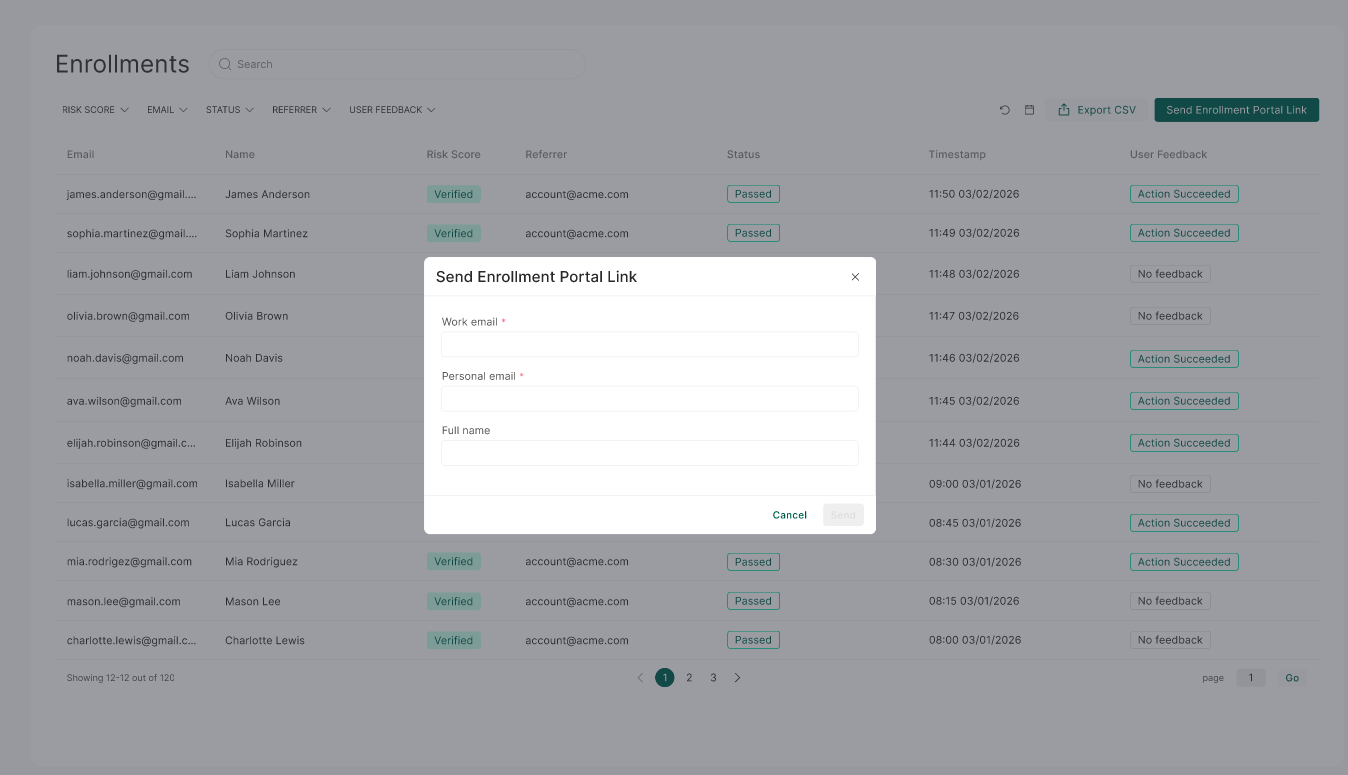
Manually Sending the Enrollment Link
In addition to the automatic invitation sent to new employees, HR administrators can manually send the enrollment link if needed. By selecting “Send Enrollment Portal Link” in the top-right corner of the Enrollment page, HR can resend or initiate the enrollment invitation for a specific employee.
This option is useful if the employee did not receive the original email, accidentally deleted it, or needs the link to restart the enrollment process.