
Appearance
This article describes how to send a verification link to any user who must complete the identity verification process.
Administrators or authorized helpdesk agents can send a Verification Portal Link to users who need to confirm their identity. This is commonly used for password resets, account recovery, elevated-access requests, or suspicious-activity checks.
Steps to Send a Verification Portal Link
- Go to Verifications > Helpdesk Verifications.
- Click Send Verification Portal Link (top-right corner of the page).
- In the dialog that opens, choose a delivery method:
- Send via SMS - select the correct country code, enter the user's phone number, and click Send.
- Send via Email - enter the user's personal (non-organization) email address and click Send.
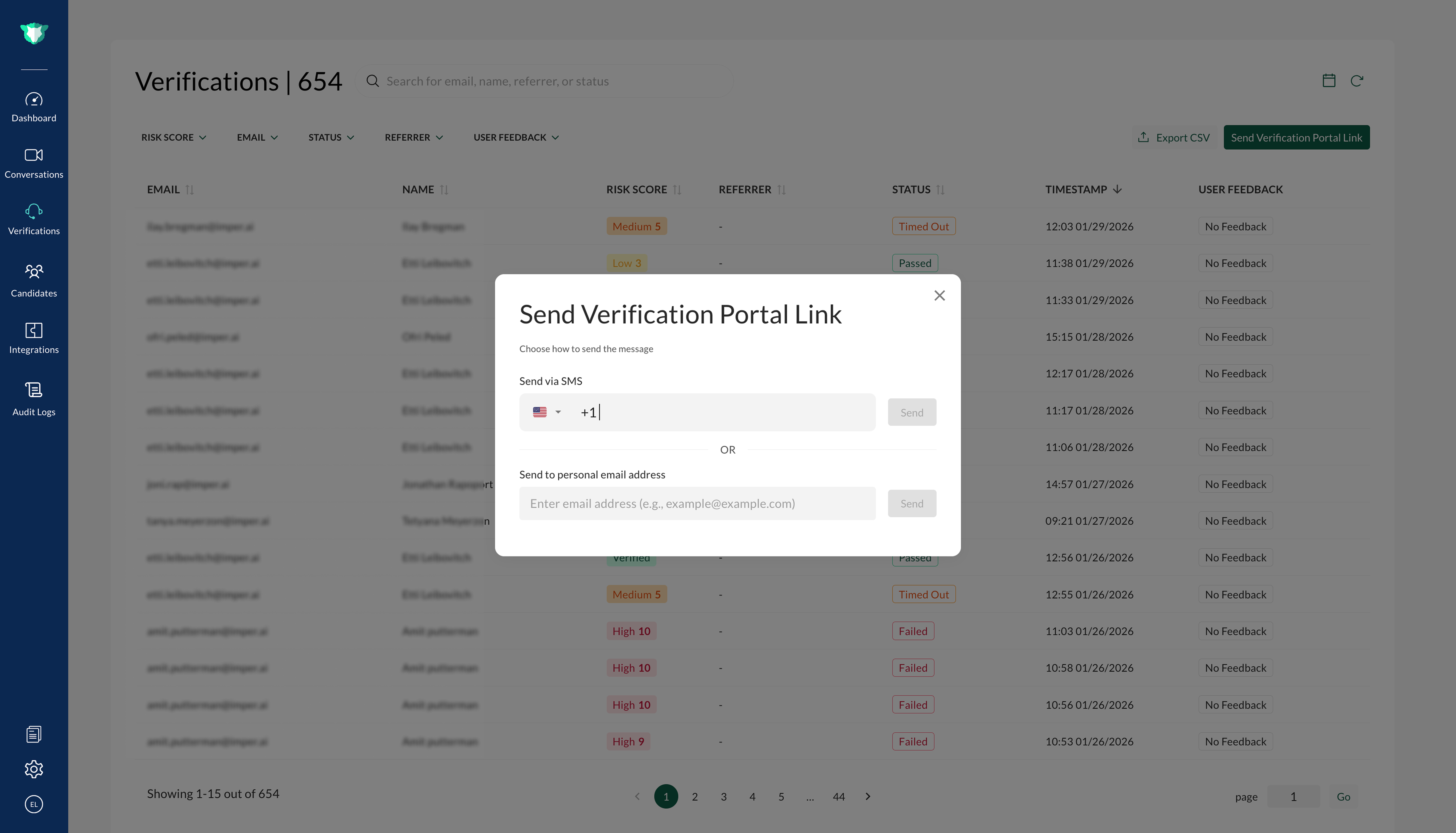
The user then receives the secure link:
- The link directs the user to the imper.ai Self-Service Portal.
- The verification process begins immediately.
Result
All data from the verification is recorded and audited in the Helpdesk Verifications table, where admins and agents can review the outcome and export the results via CSV.