Appearance
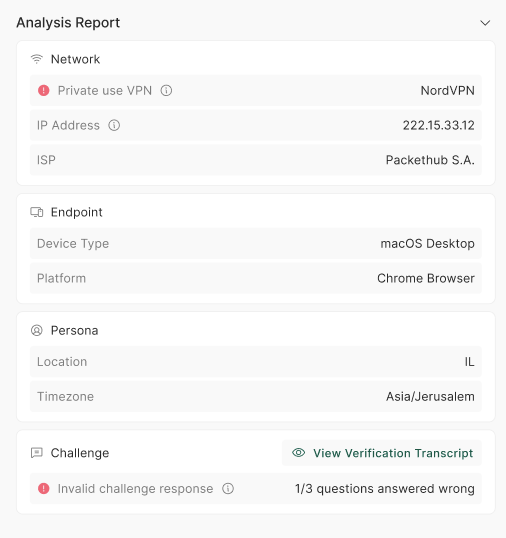
The Analysis Report shows the signals imper.ai evaluated during a verification, so you can see exactly why it received its result.
Categories
The report groups the evaluated signals into the following categories:
- Network - network-based signals, such as VPNs and masked networks.
- Location - location-based signals, such as access from an unexpected region.
- Device - device signals, such as a virtual machine or an uncommon browser.
- Tools - the presence of suspicious tools, such as remote-access software.
- Identity - identity signals, such as the user's email domain and phone number.
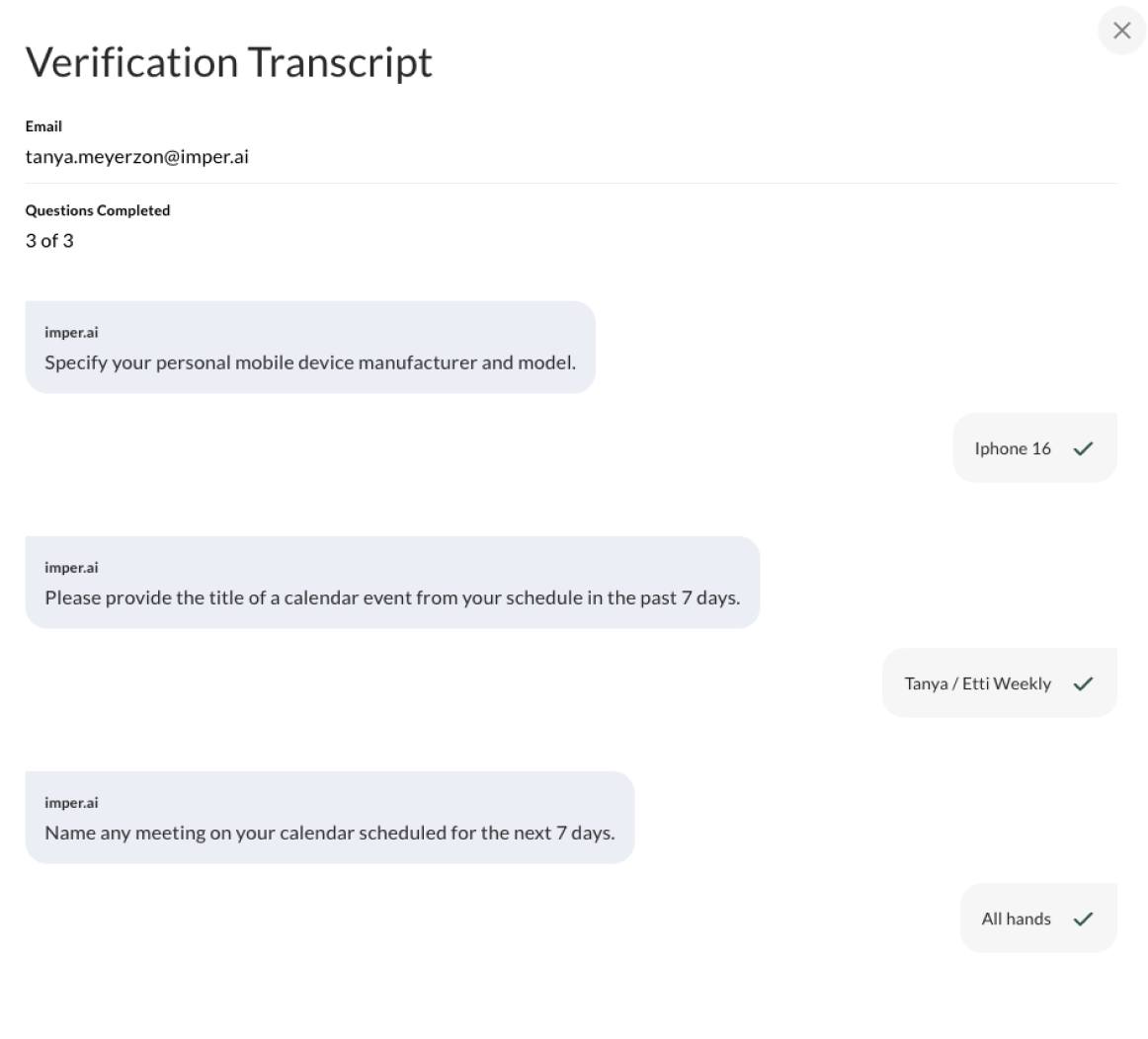
- Security Questions Layer - the verification questions, including the questions asked and the response transcript.
For a detailed explanation of the detections behind each category, see Detections and Risks.
Signal Types
Within each category, every signal is shown with its value and labeled by what it means for the verification:
- Positive information - a signal that supports the user's identity.
- Neutral data - contextual information that does not affect risk on its own.
- Anomaly - a signal that raised a concern and contributed to the risk score.
Seeing positive, neutral, and anomalous signals together - each with its value - gives agents and admins the full picture behind a result, not just the flagged issues.
Security Questions Layer
The Security Questions Layer category includes the full transcript - every knowledge-based question imper.ai asked and the answer the user gave - with each answer marked by its risk indicator:
| Risk level | Meaning |
|---|---|
| ✓ Correct | The answer is completely correct. |
| ✓✗ Partially correct | The answer is close, but not exactly the correct answer. |
| ✗ Wrong | The answer is incorrect. |
A question can also be Skipped (the user chose not to answer) or Timeout (the user took too long - which fails the entire verification); both are shown in the transcript.
NOTE
Admin and Member roles can open the transcript. Users with the Agent role see the verification outcome and risk score, but not the underlying questions and answers.
For how these answers are scored into the risk level, see Verification Questions Layer.