
Appearance
Overview
imper.ai helps secure video interviews scheduled through Greenhouse by verifying candidates before they join the interview.
The integration is embedded into the existing Greenhouse recruiting workflow. Recruiters continue moving candidates through stages and scheduling interviews using the standard Greenhouse controls - no separate verification workflow is required.
When a candidate reaches the protected video interview stage, imper.ai creates a secured interview address for the candidate. Greenhouse uses this address when sending the calendar invitation, allowing imper.ai to require candidate verification before redirecting the candidate to the meeting.
When the candidate moves out of the protected interview stage, their original application email address is restored.
Before You Begin
The Greenhouse integration must be connected and configured before imper.ai can protect interviews.
The integration relies on the candidate's interview stage in Greenhouse to determine when interview protection should be activated.
Recruiter Experience
imper.ai is designed to operate within the recruiter's existing Greenhouse workflow.
Recruiters continue to:
- Move candidates between stages in Greenhouse.
- Schedule interviews using the standard Greenhouse controls.
- Send or resend interview confirmations through Greenhouse.
imper.ai automatically activates protection when the candidate enters the applicable interview stage. Recruiters do not need to manually create verification requests or replace meeting links.
This allows candidate verification to become part of the existing interview process rather than an additional workflow for the recruiting team.
Candidate Experience
From the candidate's perspective, verification is part of the process of joining their interview.
The candidate:
- Receives the interview invitation.
- Clicks the secured interview link.
- Completes the imper.ai identity verification flow.
- Is redirected to the scheduled meeting.
The candidate does not need to access Greenhouse or initiate a separate verification process.
Security Experience
Security teams are not involved in scheduling or running the interview. They review verification results in the imper.ai console.
Security administrators can:
- Review each candidate's verification outcome and interview history.
- Examine the risk indicators detected during an individual interview session.
- Act on the recommended action associated with a flagged candidate.
This information is available on the Candidates page in the imper.ai console. For details, see Candidates Page Overview.
How Does It Work
1. Candidate Reaches the Interview Stage
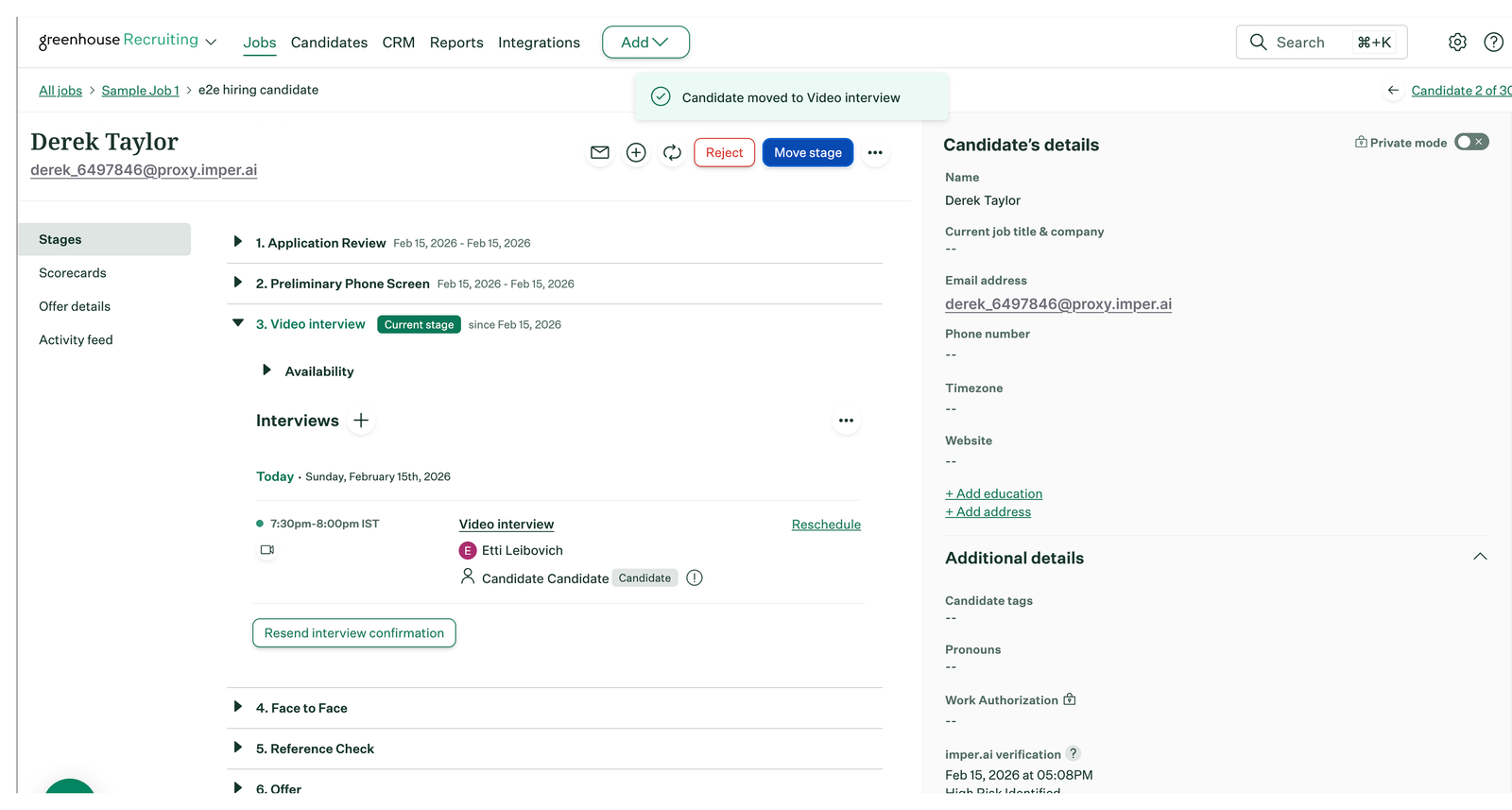
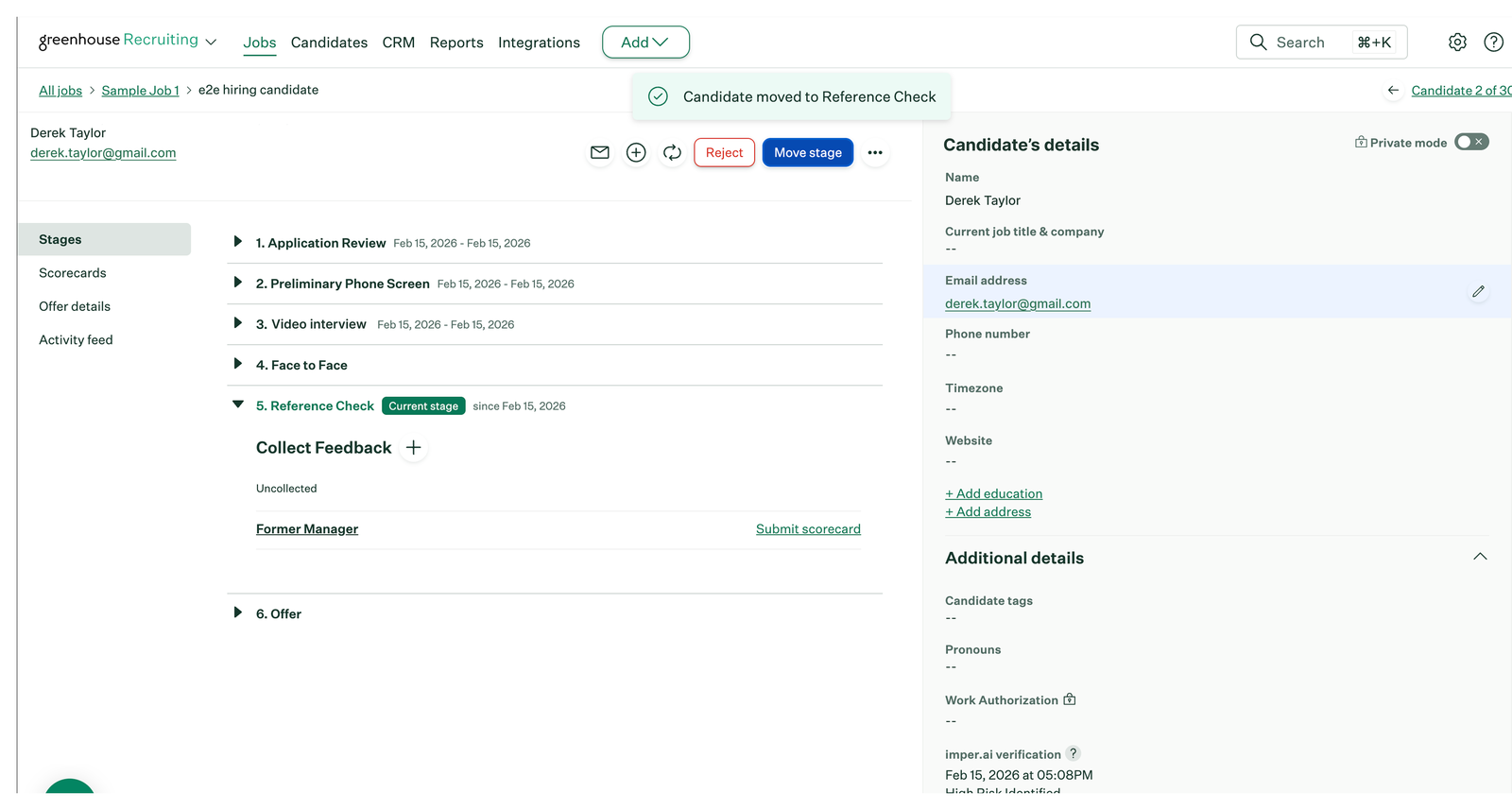
The recruiter uses "Move stage" to set the candidate to "Video interview". Entering this stage triggers imper.ai protection.
2. imper.ai Creates a Secured Interview Address
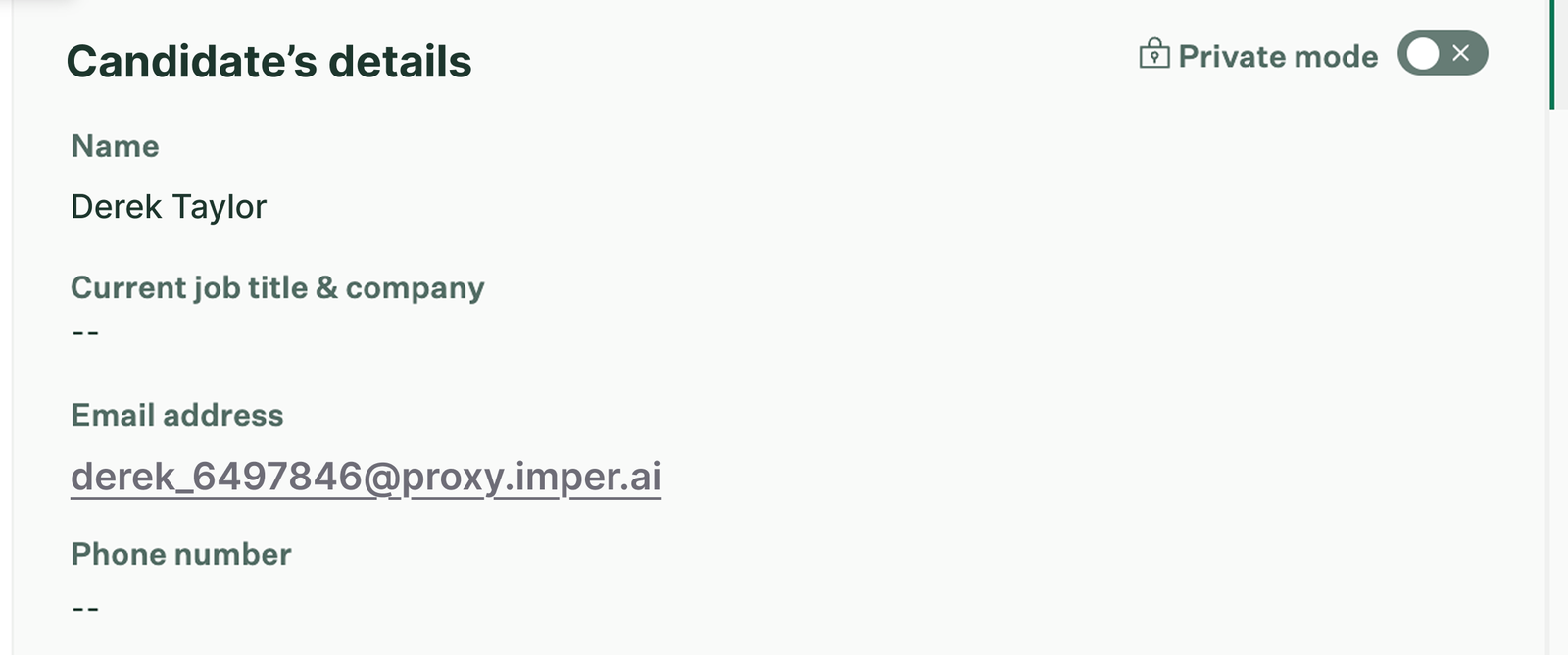
imper.ai automatically creates a secured interview address for the candidate and updates the candidate record in Greenhouse.
The secured address temporarily replaces the candidate's original application email address while the candidate is in the protected interview stage.
No manual action is required from the recruiter to create or enter this address.
3. Recruiter Schedules the Interview
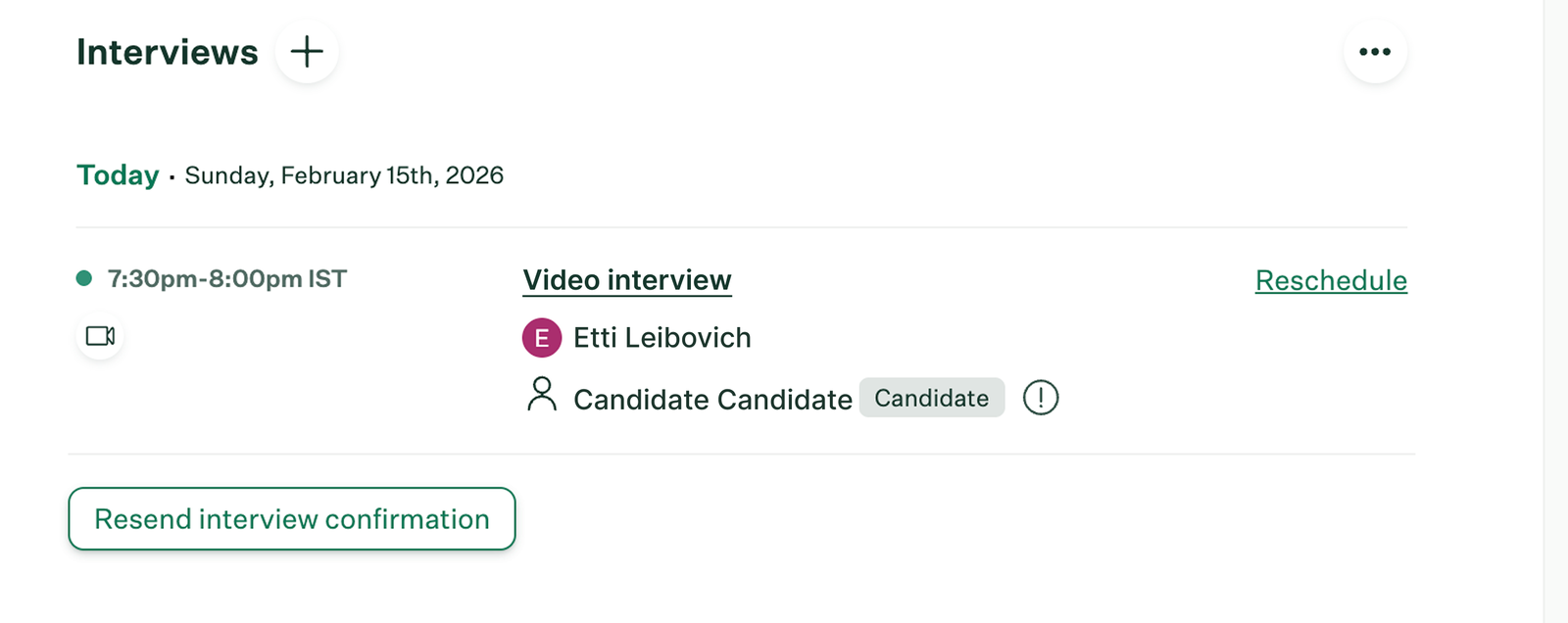
The recruiter schedules the interview using the standard Greenhouse workflow.
Because the candidate record now contains the imper.ai secured address, the calendar invitation is sent through that address.
4. Candidate Receives the Secured Interview Link
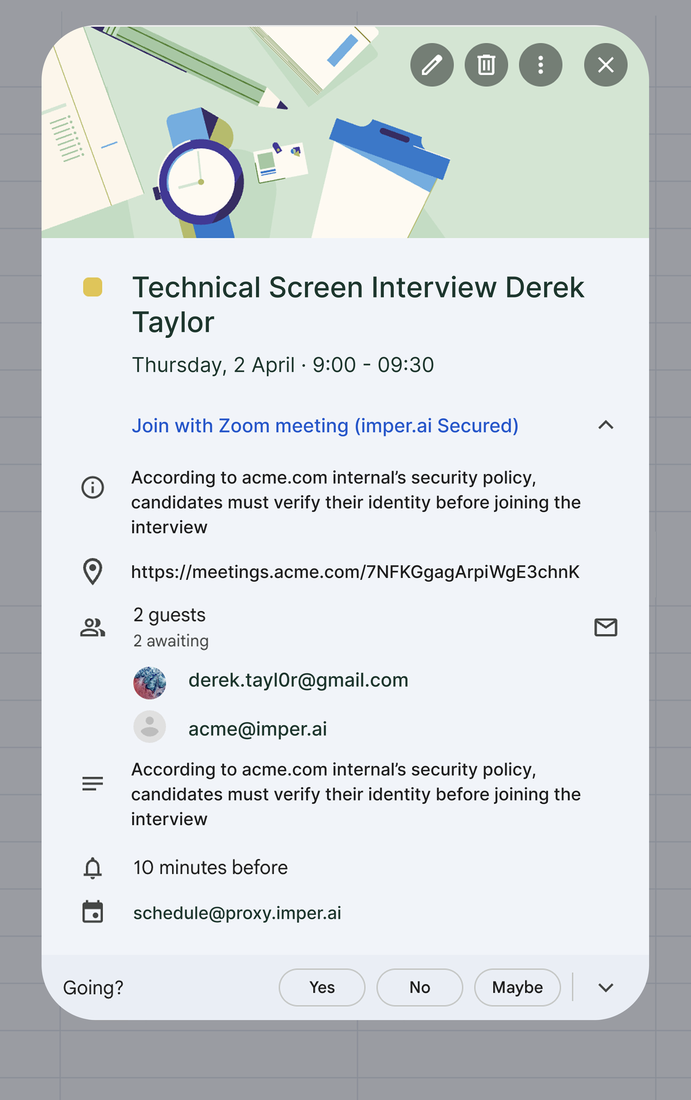
The candidate receives the interview invitation as part of the normal scheduling process.
The meeting link in the invitation is protected by imper.ai.
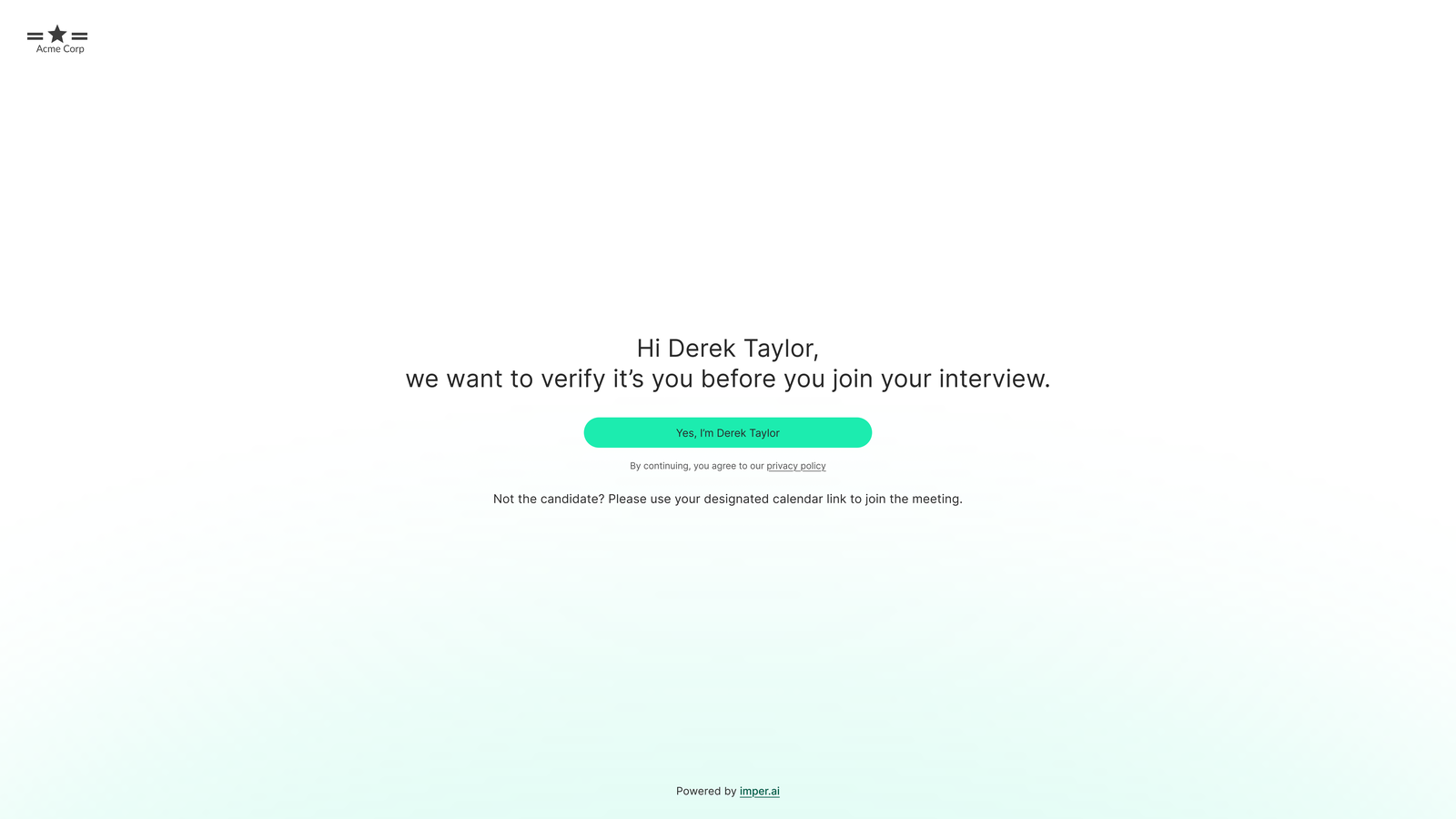
When the candidate clicks the link, they are required to complete identity verification before they can continue to the meeting.
After completing the verification flow, the candidate is redirected to the interview.
5. Verification Result Is Recorded
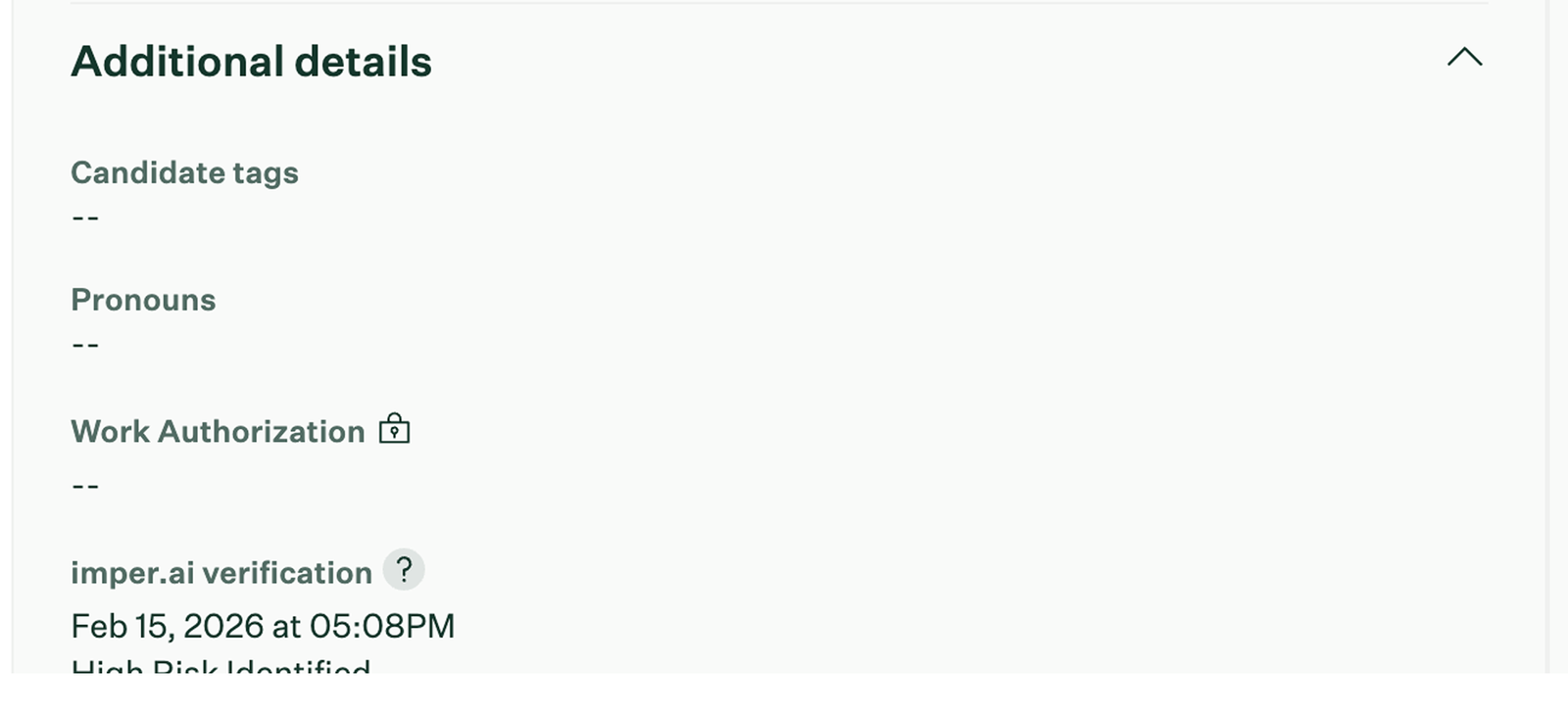
The result of the identity verification is recorded on the candidate record in Greenhouse under Additional details, in the imper.ai verification field, together with the date and time of the verification.
More detailed information about the verification - including detected risk indicators - is available to authorized security administrators in the imper.ai console.
6. Candidate's Original Address Is Restored
When the candidate moves out of the video interview stage, imper.ai retires the secured candidate address and restores the candidate's original application email address in Greenhouse.
Subsequent stages therefore continue using the candidate's original address.
If the candidate is scheduled for more than one video interview, the secured address remains in place across all video interview stages. It is retired only when the candidate leaves those stages.
Reviewing Verification Results
Verification information is available at two levels.
In Greenhouse
The candidate record includes the imper.ai verification field under Additional details, together with the date and time of the verification.
This allows the verification outcome to remain associated with the candidate's recruiting record.
In imper.ai
Security administrators can review more detailed verification information on the Candidates page in the imper.ai console.
This includes the findings and risk indicators associated with individual interviews. See Candidates Page Overview.
This separation allows recruiting teams to continue working primarily in Greenhouse while security teams can investigate verification findings in imper.ai when needed.
What Happens Next
- Candidates Page Overview - reviewing verification results, risk indicators and interview records in the imper.ai console.