
Appearance
The Organization Settings page allows administrators to configure authentication, manage notifications, and import integration data for the organization.
Single Sign-On (SAML) Configuration
The Single Sign-On (SSO) configuration allows users to log in using your organization's Identity Provider (IdP) through the SAML protocol. For full setup instructions, including supported identity providers and SCIM provisioning, see Single Sign-On (SAML) Configuration.
Notifications
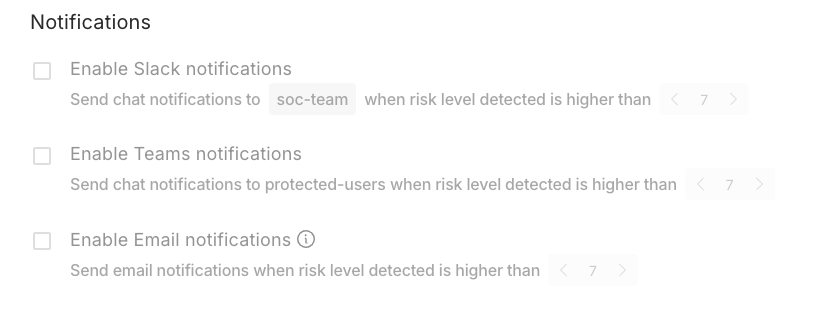
The Notifications section allows administrators to control which notifications users receive from the platform.
Available Notification Channels
Slack - requires a configured channel
Microsoft Teams
Email
Configuration
For each notification channel, administrators can define a risk score threshold that determines when notifications will be triggered.
Data Import
The Data Import section allows administrators to upload and manage data used by integrations.
Purpose
Import external data into the platform to support integrations and verification workflows.
Examples for supported Use Cases
Import HR system data
Upload user or employee records

Save Changes
After updating any notification settings or thresholds, click Save to apply the changes.
Changes will not take effect until they are saved.