
Appearance
The Self-Service Portal (SSP) is where end users complete identity verification - either after receiving a secure Verification Portal Link from a helpdesk agent, or through a self-service request they start themselves. The SSP guides the user through a multi-layer verification process that includes both silent environmental checks and interactive challenge questions.
Only after the user passes SSP verification does their status update to Verification Completed, allowing the sensitive action - such as a password reset - to proceed, whether the user completes it themselves in the portal or a helpdesk agent carries it out.
This article explains what users experience in the SSP and how it appears in the imper.ai Helpdesk ecosystem.
Entry Point: Verification Portal Link
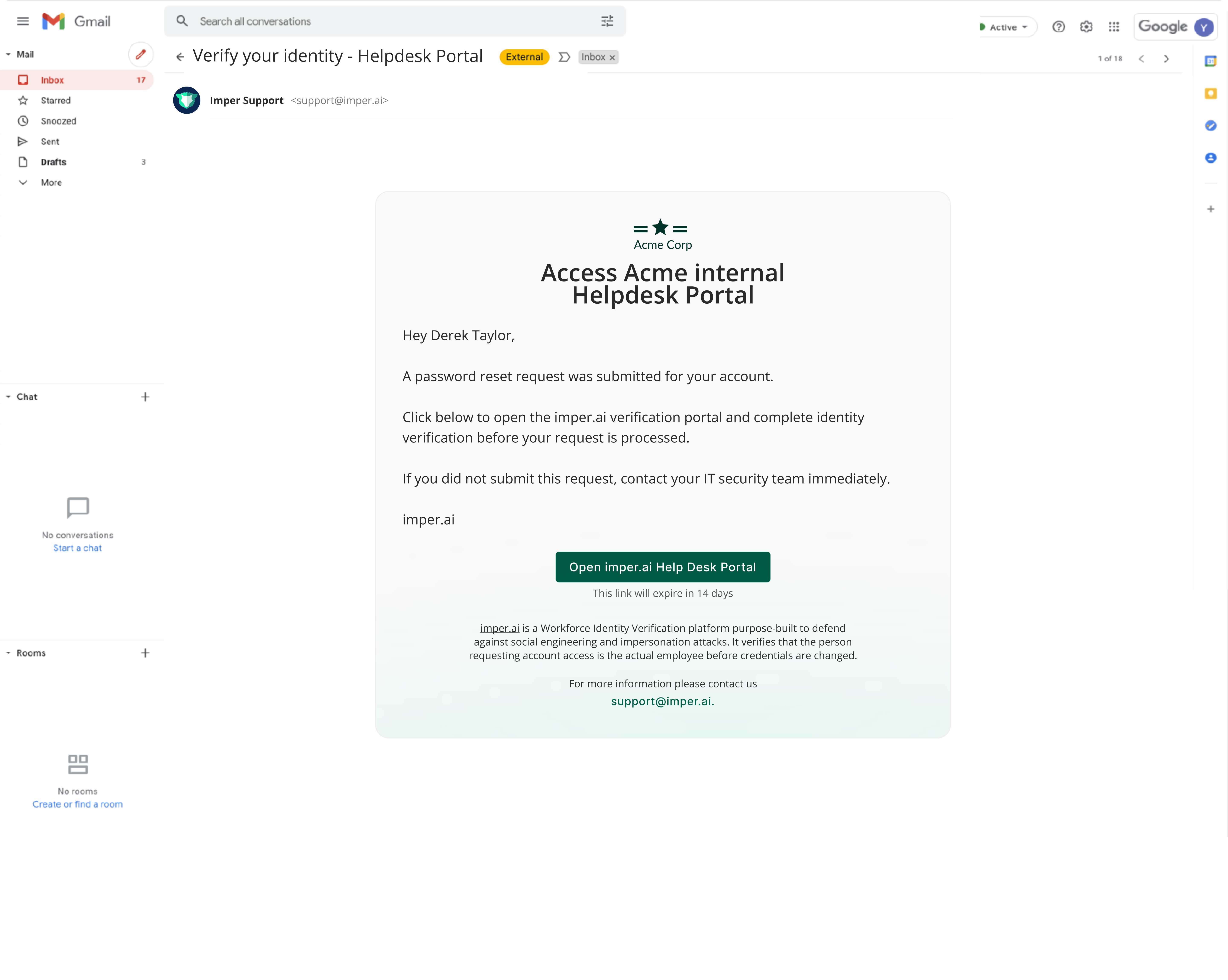
Users access the SSP by clicking the SMS or email link sent by a helpdesk agent, or by starting a self-service request themselves (for example, a self-service password reset).
Once the user clicks the link, they are taken directly into the SSP verification flow.
Verification Flow Inside the SSP
The SSP performs multi-layer identity verification using the following components:
1. Infrastructure Verification (Silent Layer)
Imper.ai automatically evaluates a range of infrastructure and behavioral signals in the background. These checks run silently, without any required interaction. For the full set of signals imper.ai analyzes, see Detectors and Risk Signals.
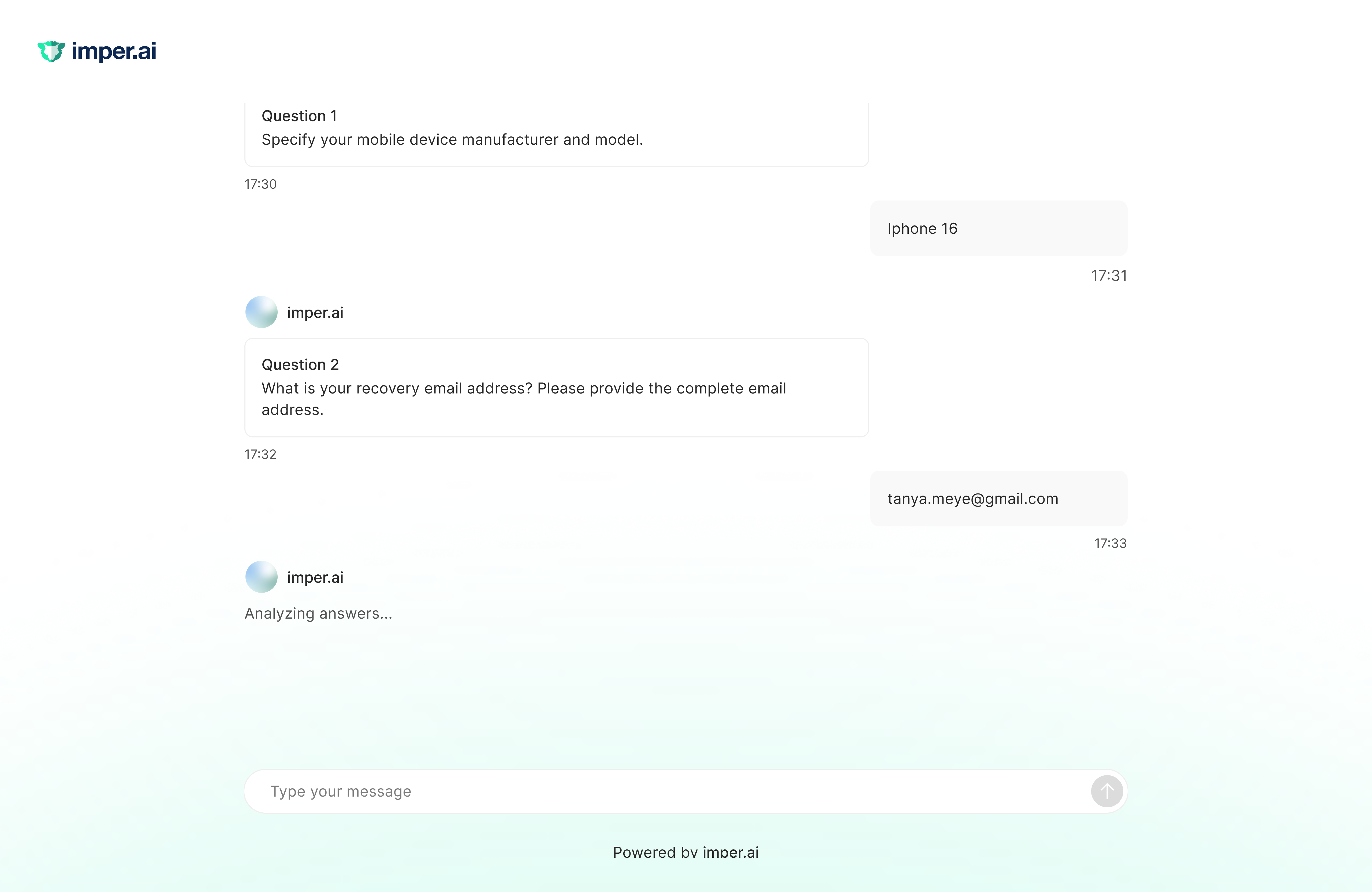
2. Knowledge Verification (Challenge Questions)
Users are asked a few customized challenge questions generated from connected organizational systems and personal context. Incorrect, partial, or skipped responses contribute to the final risk score. For how these questions are generated and scored, see Verification Questions Layer.
After Verification
Once the user finishes the SSP verification flow, imper.ai calculates a risk score, updates the verification status in the Helpdesk Console, and makes a full Verification Summary Panel available to helpdesk agents. What the user sees next depends on the outcome.
If verification succeeds
The user is presented with the actions available for this verification and chooses which one to perform (for example, reset password or unlock account). If only one action is configured for your tenant, the user is taken straight to it - with no choice to make. They can then complete the action directly within the portal.
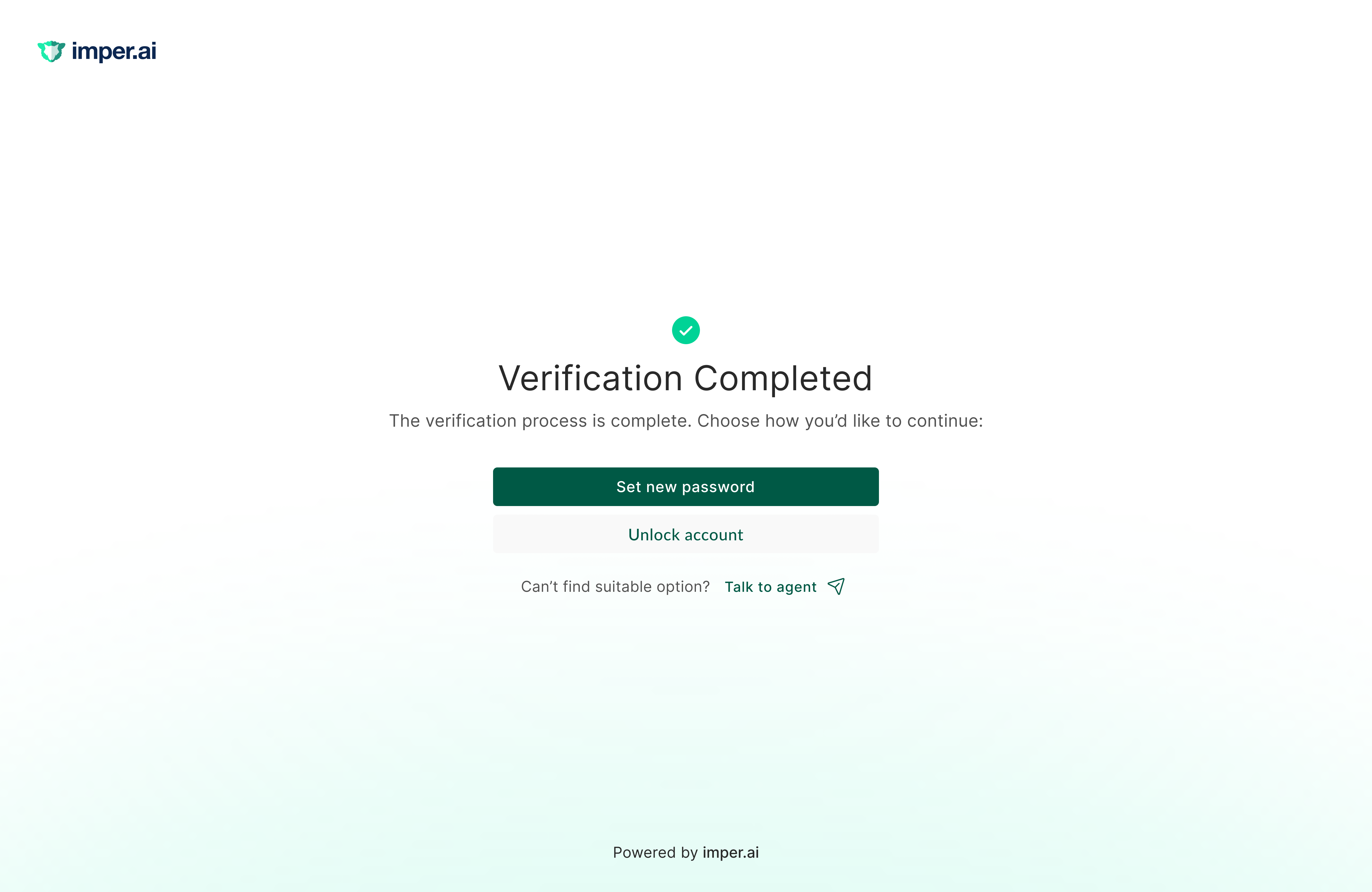
Once the action is completed, the user is shown a completion confirmation message.
Feedback
After performing the action, the user is asked for feedback on how it went. If something went wrong - for example, they couldn't log in or hit an issue during the process - they select a feedback category and add a free-text description of what happened. This feedback is later surfaced on the Requests Page Overview, in the request's drawer, so the agent can review it.
If verification fails
No action is offered. The SSP ends, informs the user that verification failed, and instructs them to contact a helpdesk agent for assistance.
How SSP Data Appears to Helpdesk Agents
Once the user completes (or fails) verification, the request updates on the Requests Page Overview.
The SSP’s output determines whether a password reset or other sensitive action can safely proceed - whether the user completes it themselves in the portal or a helpdesk agent carries it out.