
Appearance
Overview
Imper.ai integrates with Workday to help organizations secure candidate interview processes through identity verification and risk analysis before candidates join interview meetings.
With this integration:
Candidates are verified before entering interview meetings
Suspicious or high-risk behavior can be detected in real time
HR, Talent Acquisition and security teams maintain visibility into verification outcomes and interview activity through the Imper.ai Admin Panel
How the Process Works
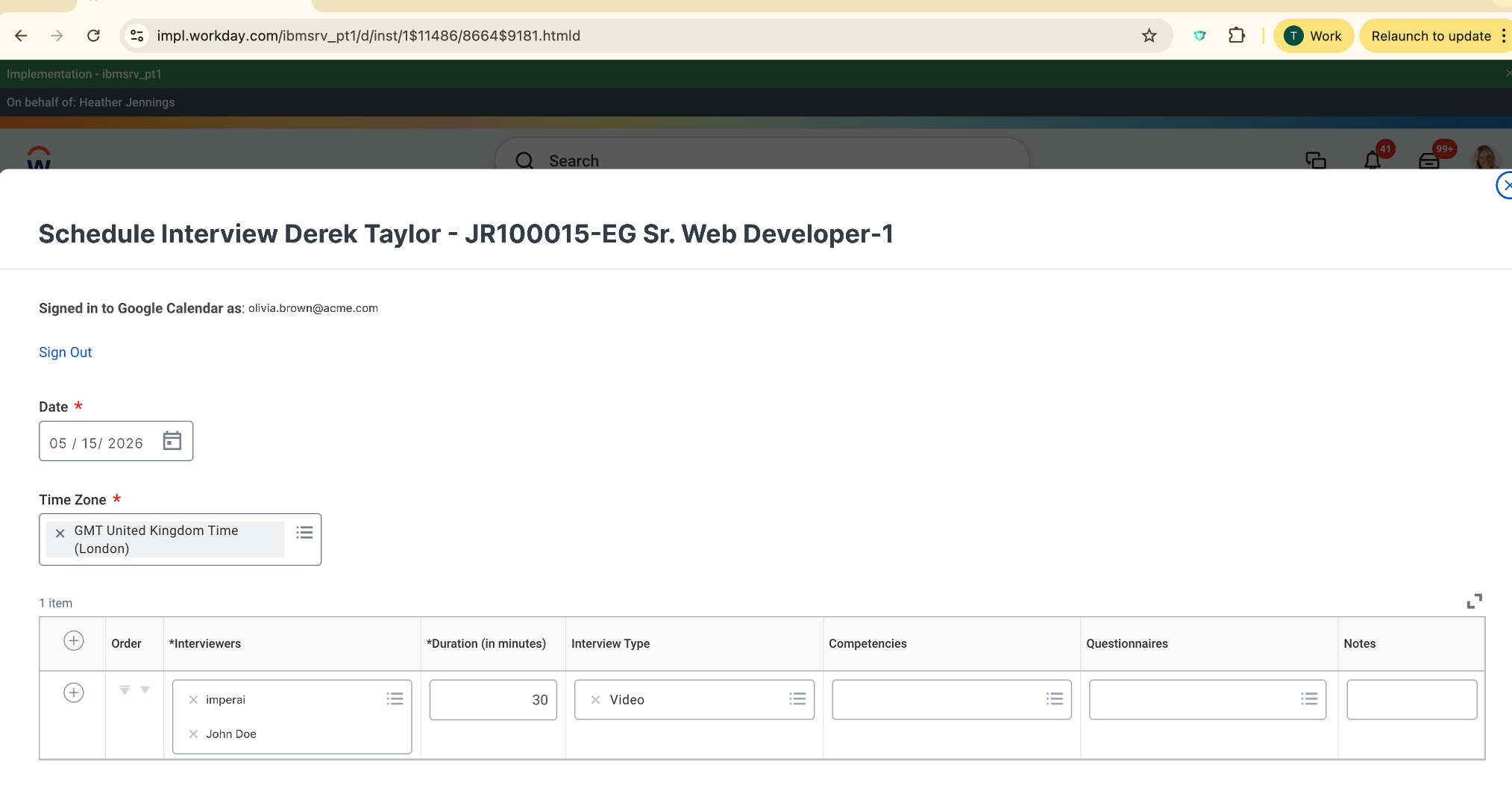
Step 1 - Schedule the Interview in Workday
The HR or TA representative schedules the interview directly from the candidate page in Workday, as part of the standard interview scheduling flow.
Step 2 - Add Imper.ai as an Interviewer
During scheduling, the HR/TA representative adds Imper.ai as one of the interview participants.
This enables Imper.ai to secure and manage the candidate verification flow for the interview session.
Step 3 - Interview Invitations Are Sent
After scheduling:
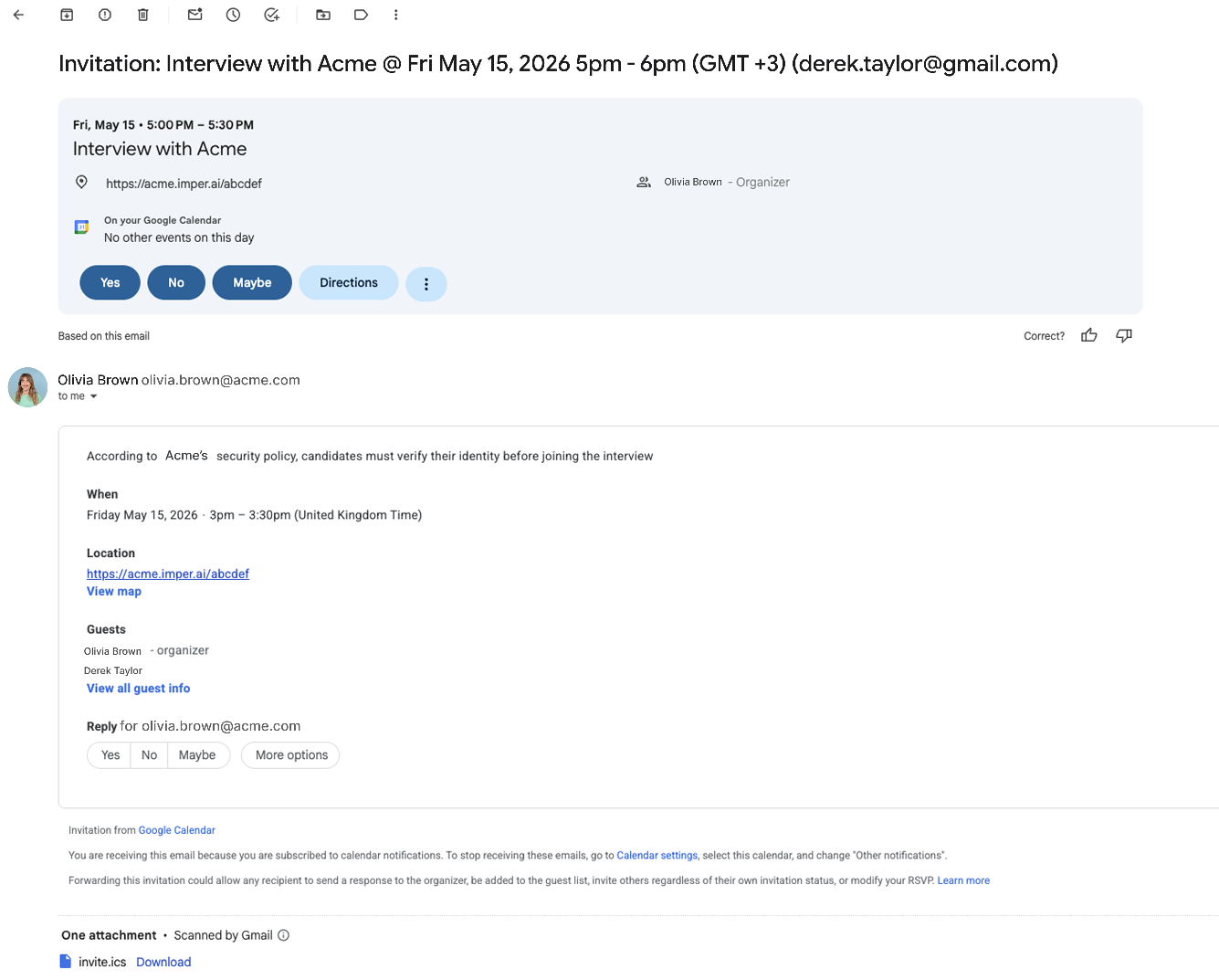
Interviewers receive the standard Workday interview invitation
The candidate also receives the regular Workday email notification
However, unlike the standard Workday process:
The meeting link itself does not appear directly in the email
Instead, the candidate receives an invitation containing an Imper.ai verification link
Step 4 - Candidate Verification Before Joining the Meeting
When the candidate wants to join the interview:
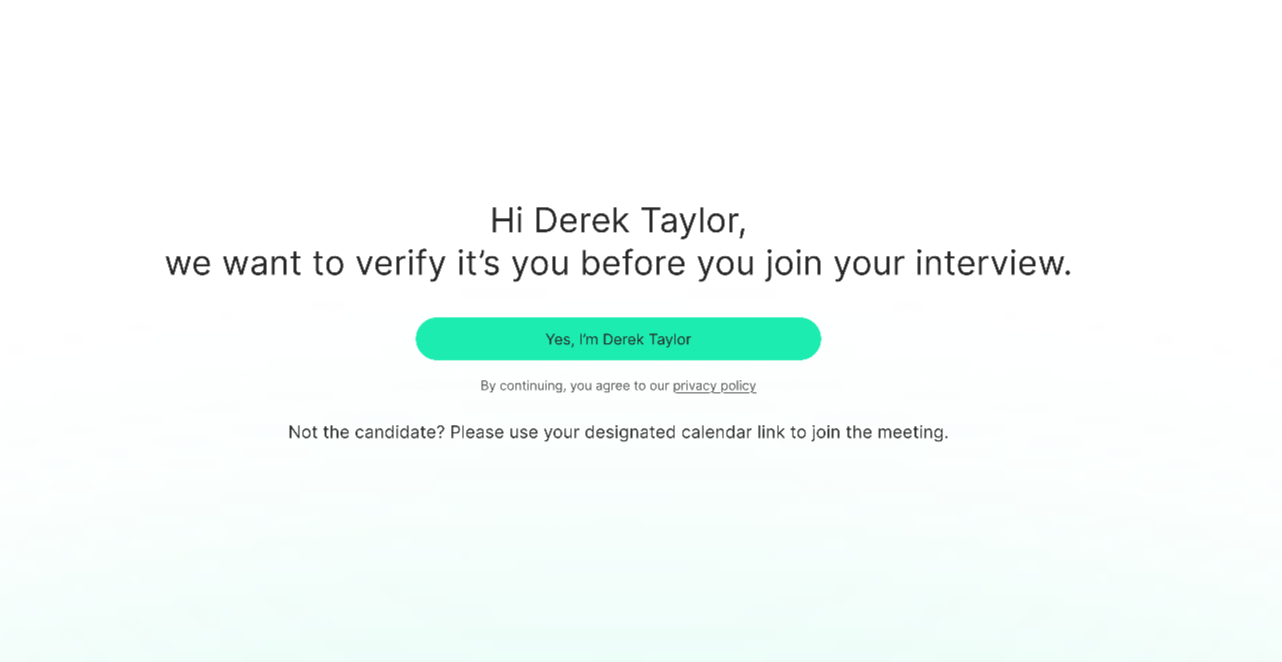
The candidate clicks the Imper.ai verification link
The candidate completes the Imper.ai verification process
After completing the verification, the candidate is automatically redirected to the interview meeting.
The candidate can only enter the meeting within the hour before the scheduled interview time - the verification link does not grant access earlier than that.
NOTE
The verification link becomes available one hour before the scheduled interview time - clicking it earlier shows a "link not available yet" page and does not redirect to the meeting. The candidate verifies only once: after they have verified, clicking the link again takes them straight to the meeting without repeating the verification.
Step 5 - Verification & Risk Records in Imper.ai
All verification results and interview-related data are recorded and made available in the Imper.ai Admin Panel.
This includes:
Candidate verification status
Risk analysis results
Interview activity records
Device and session metadata collected during verification
Imper.ai Admin Panel
Candidate Table
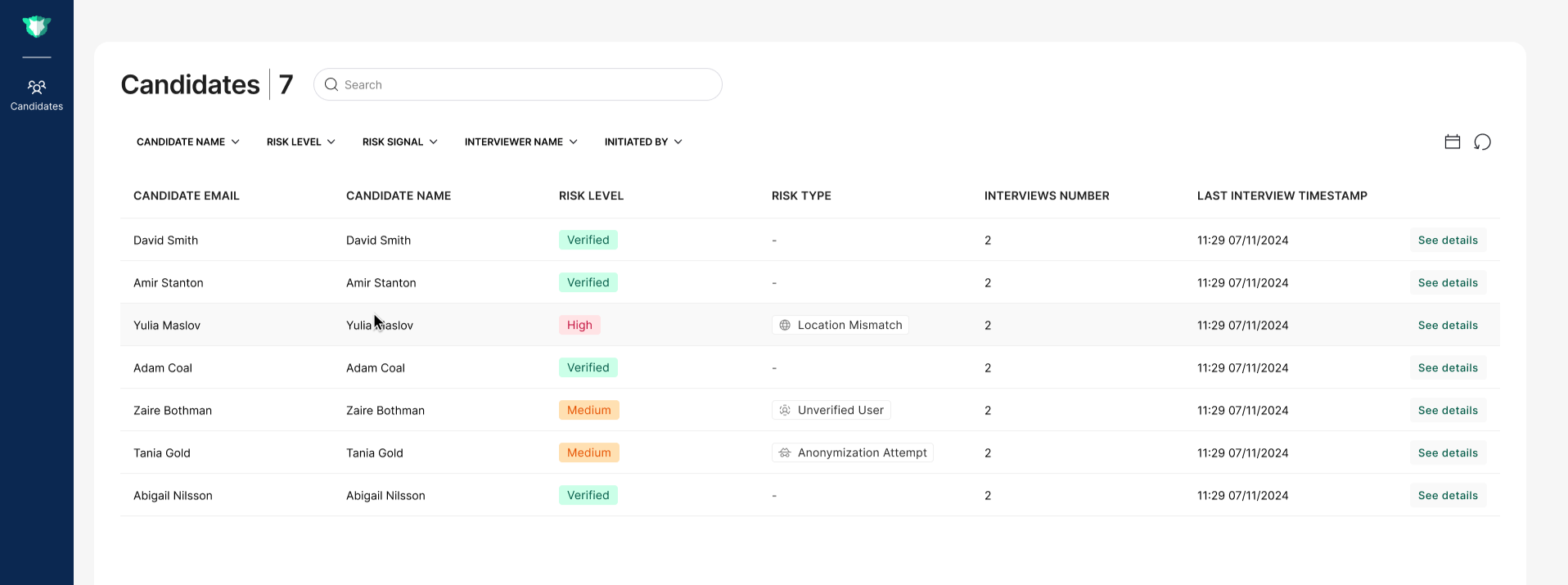
The Candidates table provides centralized visibility into all candidate verification activity.
Available information includes:
Candidate name
Email address
Risk status (Passed / Failed)
Risk type (if a risk was detected)
Total interviews
Last interview time
Candidate Details Page
Selecting a candidate opens the Candidate Details view, which includes both general candidate information and historical interview records.
General Candidate Information
The Candidate Details page includes:
Summary of the risks of the candidates (If detected)
Recommended actions
Candidate name
Email address
Role
Risk status
Risk type
Total interviews
Last interview time
.png)
Interview Records
The Candidate Details page also includes a full history of all interview sessions associated with the candidate.
For each interview, administrators can view:
General Data
Interview name
Initiated by
Interviewers
Attendees
Interview time
Verification Details
Verification status
Risk level (Verified / Low / Medium / High)
Risk type (if detected)
Candidate location
Analysis report describing the detected risk indicators
Device Information
Imper.ai also provides additional metadata collected during the verification session, including:
Device type
Platform / operating system
Timezone
IP address
Country code
and more
.png)
Known Issues:
- In case the TA deletes the calendar invite from their calendar, it will also be removed from the candidate’s calendar. As a result, if the interview still exists in Workday, the interview will no longer be protected.