
Appearance
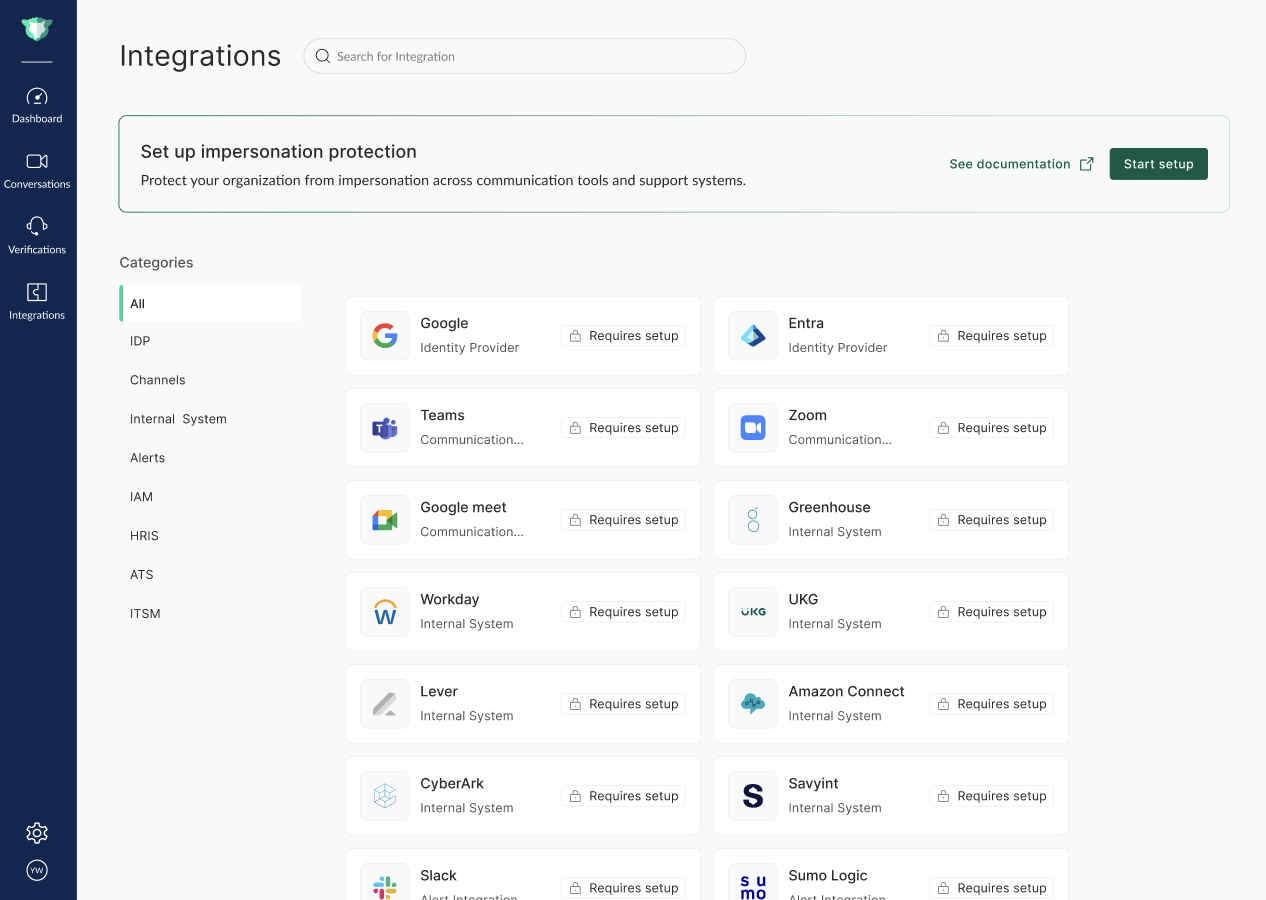
The Integrations page is where administrators connect imper.ai to the external systems used across their organization - identity providers, HR systems, internal IT systems, and alerting tools. These connections give imper.ai the data and channels it needs for identity verification workflows and security incident reporting.
NOTE
Want help with a specific integration? Contact us at support@imper.ai.
Starting an Integration
To begin, open the Integrations page and select Start Setup.
The setup flow that follows depends on the use case your organization is configured for - for example, Enrollment, Hiring, or Helpdesk. Each use case walks you through the steps and the data sources that are relevant to it, so you only configure what applies to you.
Adding More Data Sources
Once your integration is set up, you can connect additional data sources at any time from the Integrations page. The catalog shows the integrations available for your current use case, grouped by category (such as Identity & Access, HR Systems, ITSM, MDM, Contact Center, and Alerts).
Connecting more sources gives imper.ai richer data to build verification questions from and improves verification accuracy.
Upgrading to Another Use Case
To expand imper.ai to a different use case - for example, adding Helpdesk on top of Enrollment - contact support@imper.ai.
Once your account is upgraded, the Integrations page surfaces the additional data sources that become available for the new use case.