
Appearance
Overview
imper.ai helps secure video interviews scheduled through Bullhorn by verifying candidates before they join the interview.
Recruiters continue working in Bullhorn exactly as they normally would. They schedule interviews through the standard Bullhorn workflow - there is no new scheduling process to learn and no second system to move to.
imper.ai works in the background and adds two things to the interview:
- Calendar orchestration. Bullhorn has no native calendar invitation capability, so imper.ai creates the calendar invitations for the scheduled interview - one for the candidate and one for the company contact taking the interview.
- Identity verification. The candidate's invitation carries a secured imper.ai meeting link in place of the meeting URL, so the candidate must verify their identity before being redirected to the meeting.
Before You Begin
The Bullhorn integration must be connected and configured before imper.ai can protect interviews. See Connecting Bullhorn if you have not yet connected your Bullhorn account.
Once it is connected, protection applies to interviews scheduled in Bullhorn without any change to how recruiters schedule them.
Recruiter Experience
imper.ai is designed to operate within the recruiter's existing Bullhorn workflow.
Recruiters continue to:
- Work from the job record in Bullhorn.
- Schedule interviews through the standard Schedule Interview action.
- Set the appointment details - the company contact taking the interview, the date and the time - as they normally would.
Nothing is added to the appointment for imper.ai's benefit.
Candidate Experience
From the candidate's perspective, verification is part of the process of joining their interview.
The candidate:
- Receives a calendar invitation for the interview.
- Opens the secured imper.ai link in the invitation.
- Confirms their identity on the imper.ai verification page.
- Is redirected to the scheduled meeting.
The candidate does not need to access Bullhorn or initiate a separate verification process.
Security Experience
Security teams are not involved in scheduling or running the interview. They review verification results in the imper.ai console.
Security administrators can:
- Review each candidate's verification outcome and interview history.
- Examine the risk indicators detected during an individual interview session.
- Act on the recommended action associated with a flagged candidate.
This information is available on the Candidates page in the imper.ai console. For details, see Candidates Page Overview.
How Does It Work
1. Recruiter Opens the Job and Schedules the Interview
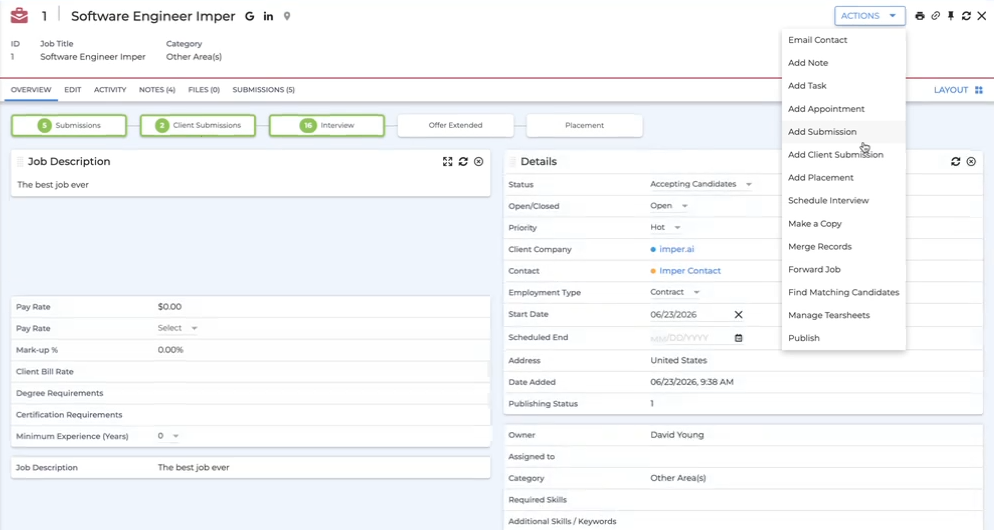
The recruiter opens the job record in Bullhorn and selects Schedule Interview from the ACTIONS menu.
2. Recruiter Selects the Candidate
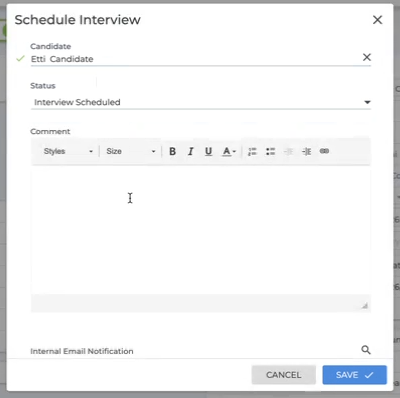
The recruiter selects the candidate to interview, sets the status, and saves.
3. Recruiter Configures the Appointment
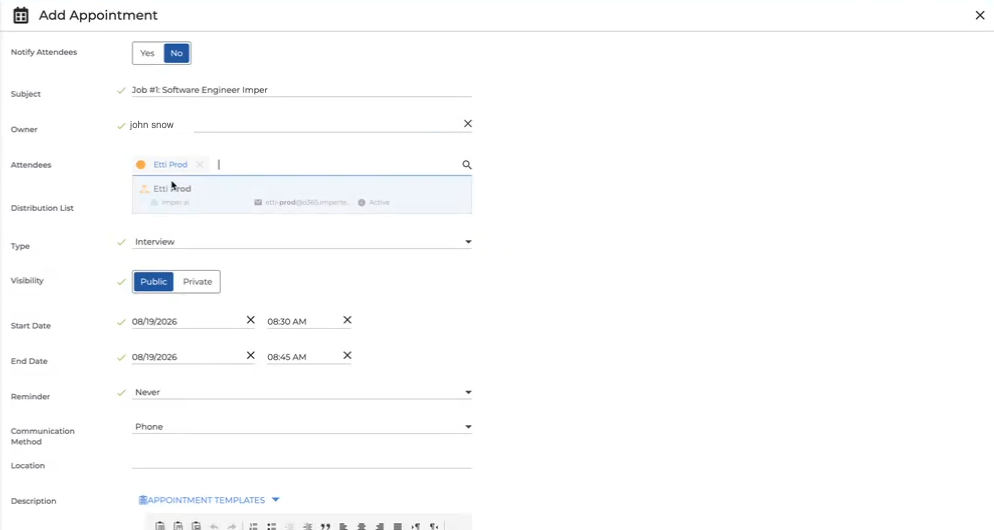
The appointment settings open next. The recruiter adds the company contact who will take the interview, sets the start and end time, and saves.
4. The Appointment Is Saved Against the Job and the Candidate
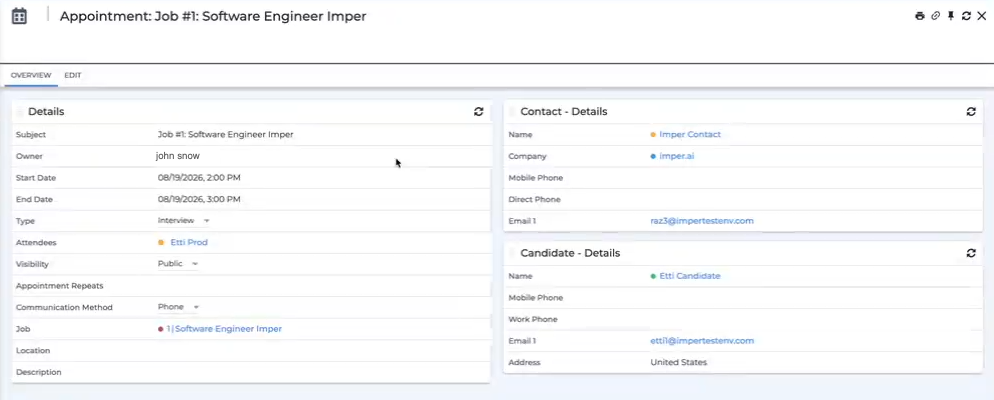
Once saved, the appointment records the interview details alongside the linked job, the company contact and the candidate.
From the recruiter's perspective the interview is now scheduled, through the standard Bullhorn workflow. This is where their part ends.
5. imper.ai Creates the Calendar Invitations
Behind the scenes, imper.ai processes the interview details coming from Bullhorn and creates the calendar invitations for it.
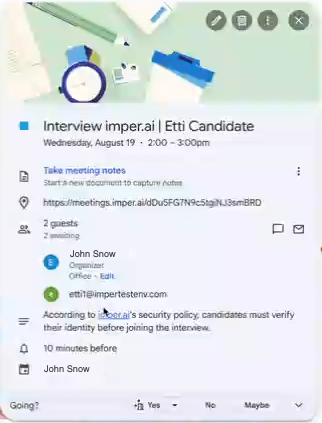
Two invitations are sent: one to the candidate, and one to the company contact participating in the interview. The candidate's invitation carries a secured imper.ai meeting link, and states that the candidate must verify their identity before joining the interview.
6. Candidate Confirms Their Identity
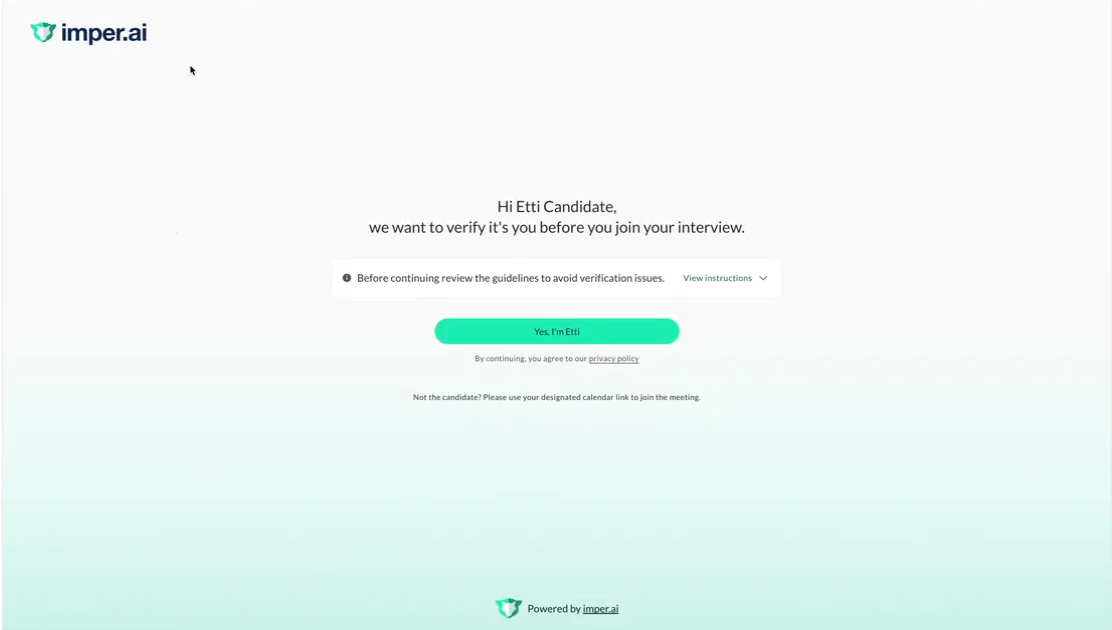
When the candidate opens the link, they land on a branded verification page carrying the hiring company's logo and visual identity, so that verification reads as a natural extension of the company's interview process.
imper.ai greets the candidate by name and asks them to confirm that they are the candidate before continuing to the meeting.
7. imper.ai Verifies the Candidate
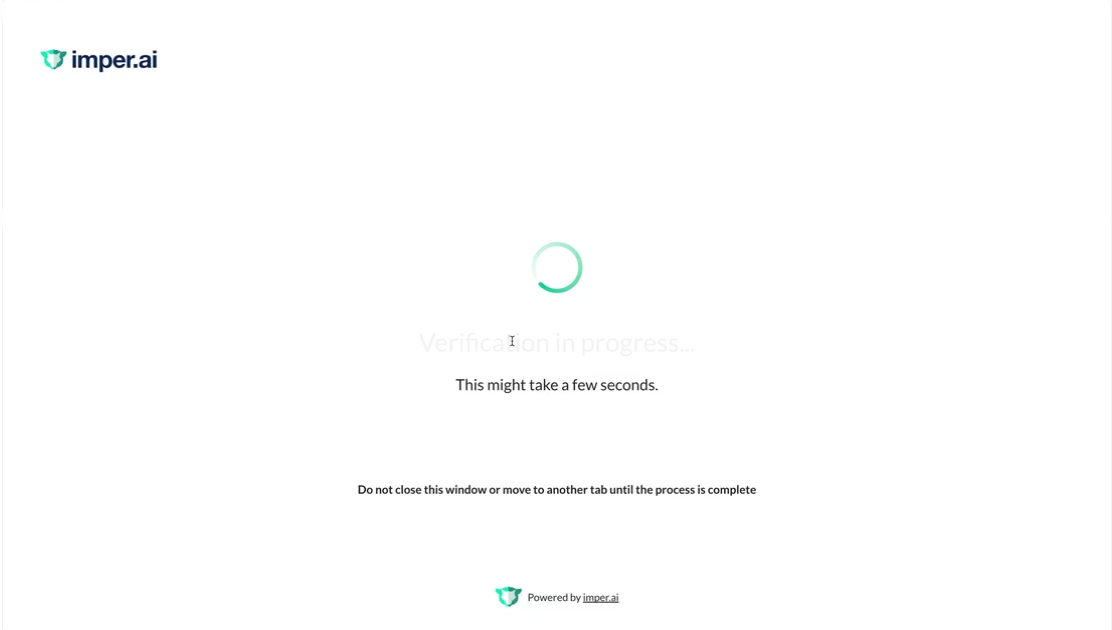
imper.ai runs its verification checks while the candidate waits. The candidate is asked to keep the window open until the process completes.
8. Candidate Is Redirected to the Interview
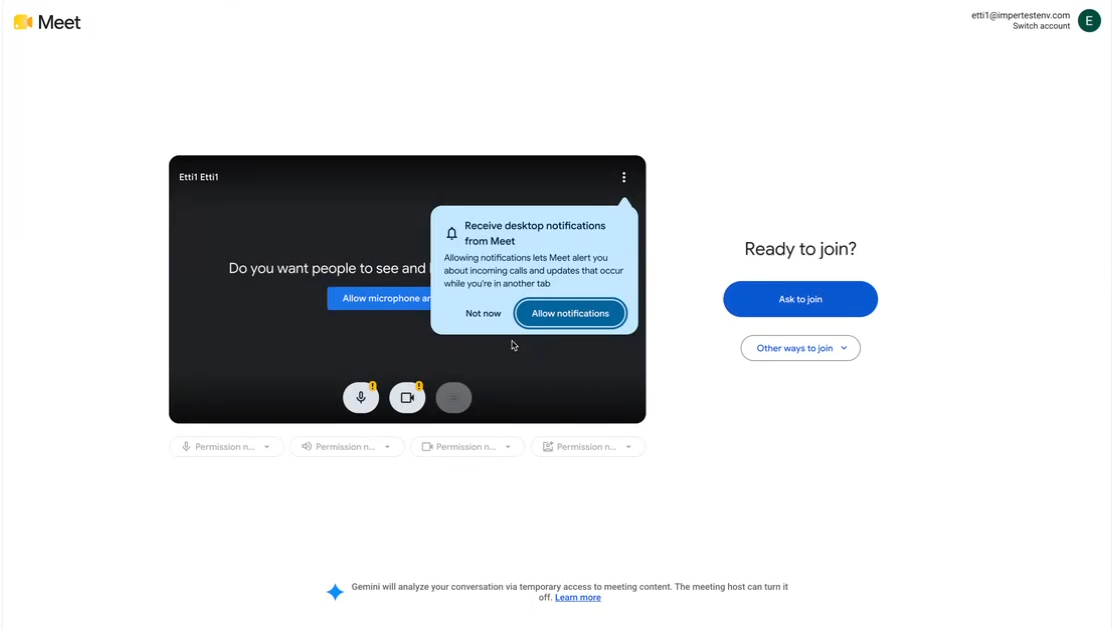
Once verification completes, the candidate is redirected automatically to the scheduled meeting - Google Meet, Zoom or whichever platform the interview uses - and joins as usual.
Reviewing Verification Results
Security administrators review verification results on the Candidates page in the imper.ai console.
This includes the verification outcome for each candidate, the findings and risk indicators associated with individual interviews, and the recommended action for a flagged candidate. See Candidates Page Overview.
This separation allows recruiting teams to continue working primarily in Bullhorn while security teams can investigate verification findings in imper.ai when needed.
What Happens Next
- Candidates Page Overview - reviewing verification results, risk indicators and interview records in the imper.ai console.